A KVM extender lets you operate a desktop from a more convenient or secure location while sending video, keyboard, and mouse signals over Ethernet cable. The right model can simplify control-room setups, home offices, digital signage, and hardware access in rooms where the computer itself is best kept out of sight.
These 10 options cover common desktop requirements, from affordable 1080p links to 4K60Hz systems with USB KVM, IR control, HDR, loop-out ports, and transmission distances of up to roughly 400 feet. Compare resolution, cable requirements, USB support, and installation range before choosing.
Best 10 Kvm Extenders for Desktops Picks for 2026
Long-Range 4K Control

- 4K at 30Hz over Cat6-class cable
- 393-foot transmission distance
- Loop-out, audio, IR, and KVM control
Best For: Long-distance office, classroom, surveillance, and home-theater setups
High-Refresh Pro Setup
AV Access 4K60 HDMI KVM Extender

- 4K60 video with 4:4:4 chroma
- Remote access for up to four USB 2.0 devices
- PoC, RS-232, and audio de-embedding
Best For: Meeting rooms and integrated professional AV installations
HDBaseT Distance Specialist

- 4K60 4:4:4 with 18Gbps bandwidth
- Stated 400-foot HDBaseT range
- Two-way IR and USB KVM support
Best For: Long-distance 4K HDR and home-theater-style installations
Dual-Screen Workstation Pick

- Dual 1080p at 60Hz over up to 197 feet
- Four receiver-side USB 2.0 ports
- Plug-and-play support for Windows, Mac, and Linux
Best For: Dual-monitor office and gaming workstations
Best 4K Local-and-Remote Pick
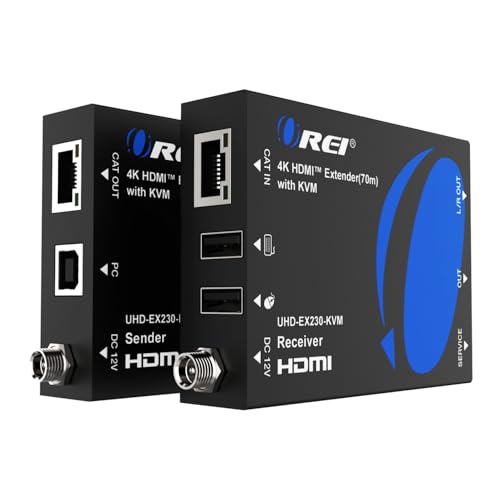
- 4K at 60Hz up to 230 feet
- USB KVM and HDMI loop-out
- HDR, Dolby Vision, and EDID support
Best For: High-resolution desktops needing remote control and local display access
Best for Networked Workstations

- Up to 390 feet on Cat5e and 492 feet on Cat6/7
- Uses existing Ethernet networks
- Three receiver-side USB ports and 16-set pairing
Best For: Long-distance, scalable office and control-room deployments
Best Budget 1080p Option
VPFET 120M HDMI USB KVM Extender

- 1080p at 60Hz up to 400 feet
- HDMI loop-out and reset function
- Basic keyboard-and-mouse KVM control
Best For: Simple long-distance 1080p desktop and presentation setups
Long-Range 1080p Pick
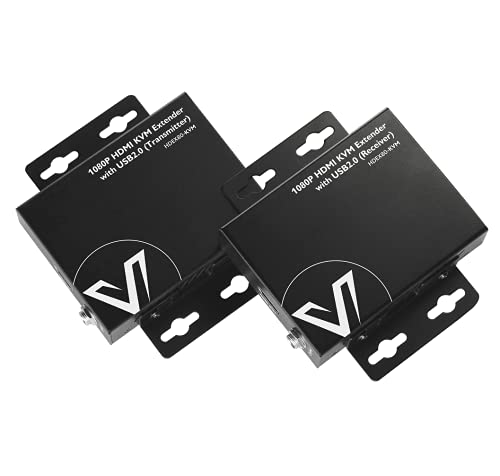
- 1080p at 60Hz up to 260 feet
- USB 2.0 keyboard and mouse extension
- Two-way PoE can reduce power cabling
Best For: Long-distance 1080p desktop and NVR control
Simple Midrange Option
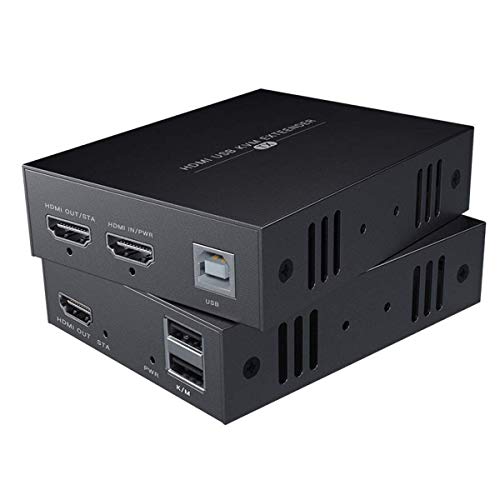
- 1080p at 60Hz over Ethernet cable
- Reaches 164 feet with Cat6/7
- Remote keyboard and mouse control
Best For: Moderate-distance Full HD computer setups
Professional 4K Choice
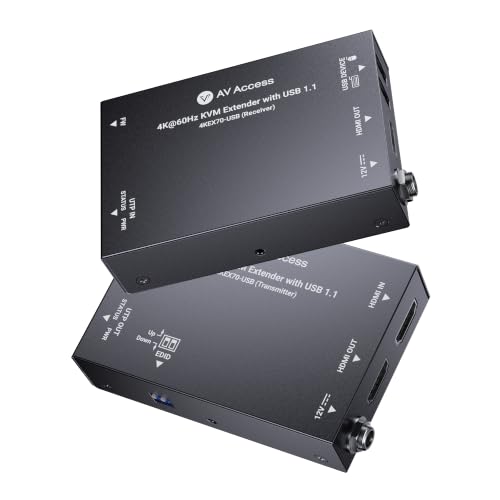
- 4K60 video with 4:4:4 and HDCP 2.3
- Up to 230 feet over Cat6-class cable
- PoC and multichannel audio support
Best For: Professional 4K desktop and AV installations
Long-Range 4K Control – 4K HDMI KVM USB Extender
For shoppers comparing kvm extenders for desktops, this model is suited to setups that need long-distance 4K video, remote keyboard-and-mouse control, and flexible audio connections. It sends HDMI over a single Cat6-class cable for runs up to 393 feet.
Best For: Offices, classrooms, surveillance systems, and home theaters where a PC or source device must be controlled from another room.
Pros:
- Extends up to 4K at 30Hz over Cat6, Cat6a, or Cat7 cable for distances up to 393 feet.
- HDMI loop-out supports a local monitor while sending video to a remote display.
- Includes KVM, independent 3.5mm audio outputs, and IR extension for remote source control.
Cons:
- 4K support is limited to 30Hz rather than 60Hz.
- Its feature set may be more than needed for a simple point-to-point display extension.
This is a strong long-distance choice when local viewing, remote USB control, and audio access are all important. Consider a 4K60 model if smoother high-resolution motion is a priority.
High-Refresh Pro Setup – AV Access 4K60 HDMI KVM Extender
This AV Access unit is a practical pick among kvm extenders for desktops when 4K60 video and broader USB connectivity matter. It carries HDMI and USB 2.0 over one Cat6, Cat6a, or Cat7 cable for up to 131 feet.
Best For: Meeting rooms, control rooms, and multimedia classrooms that need remote PC control, multiple USB peripherals, and integrated AV connectivity.
Pros:
- Supports 4K at 60Hz with 4:4:4 chroma and HDCP 2.3 compliance.
- Connects up to four USB 2.0 devices, including keyboards, mice, webcams, and flash drives.
- Offers bi-directional PoC, RS-232 pass-through, and audio de-embedding.
Cons:
- Its stated transmission distance is 131 feet, shorter than several long-range alternatives.
- Advanced RS-232 and audio features may be unnecessary for basic desktop extension.
Choose this model for a feature-rich, high-refresh installation where USB expansion and AV-system integration are more important than maximum cable distance.
HDBaseT Distance Specialist – OREI 4K KVM HDMI Extender
The OREI UHD-EXB400-KVM is worth considering if your list of kvm extenders for desktops includes a long-distance HDBaseT option with high-bandwidth 4K support. Its supplied specifications cite transmission up to 400 feet and support for USB KVM.
Best For: Installations requiring extended 4K60 video, HDR formats, and remote keyboard-and-mouse control over a long cable run.
Pros:
- Supports HDMI 2.0b, 18Gbps, 4K60 at 4:4:4, and HDCP 2.2.
- Lists HDR10+, Dolby Vision, HLG, and multichannel audio support.
- Provides USB 1.1 KVM and two-way IR over a stated 400-foot HDBaseT connection.
Cons:
- The supplied listing provides limited detail about USB port count and installation features.
- Its specifications identify USB 1.1 KVM, which is less capable than USB 2.0 for higher-bandwidth peripherals.
This OREI model stands out for long-range 4K60 and HDR-focused deployments. Verify the included cable, port requirements, and peripheral needs before choosing it for a desktop workstation.
Dual-Screen Workstation Pick – HDMI USB KVM Extender
For desktop users who need two displays rather than 4K resolution, this dual-monitor unit offers a straightforward option among kvm extenders for desktops. It sends dual 1080p HDMI and USB 2.0 up to 197 feet over one Cat5e-or-better cable.
Best For: Office and gaming workstations that need dual 1080p monitors plus remote access to keyboards, mice, storage, printers, or cameras.
Pros:
- Extends two 1080p signals at 60Hz with 4:4:4 color and HDCP 1.4.
- Provides four USB 2.0 ports on the receiver, including two with higher-current 5V/1A output.
- Supports Windows, Mac OS, and Linux without extra software or drivers.
Cons:
- Video resolution is limited to 1080p rather than 4K.
- The dual-monitor design may be unnecessary for single-display setups.
This is a sensible productivity-focused choice when dual-screen 1080p output and several USB peripherals matter more than ultra-high resolution. One-way PoC also helps simplify installation by powering both units from the receiver side.
Best 4K Local-and-Remote Pick – OREI 4K HDMI KVM Extender
For shoppers comparing kvm extenders for desktops, the OREI EX-230PRO-KVM combines 4K video transport with remote keyboard-and-mouse control. It sends 4K at 60Hz up to 230 feet over Cat6 or Cat7 cable and includes an HDMI loop-out for a nearby display.
Best For: Desktop users who want high-resolution video, remote USB control, and a local-monitor option.
Pros:
- Supports 4K at 60Hz over distances up to 230 feet.
- Works with HDR formats, Dolby Vision, HDCP 2.2, and multiple audio formats.
- Includes USB KVM control, HDMI loop-out, EDID pass-through, and 3.5mm audio output.
Cons:
- Its stated maximum distance is shorter than the longest-range option in this roundup.
- Requires Cat6 or Cat7 cable for the specified 230-foot transmission distance.
This is a strong choice when image quality matters as much as remote access. Its 4K60 support and local loop-out make it especially versatile for desktop, media, and workstation setups.
Best for Networked Workstations – AV Access 4K KVM over IP
The AV Access 4KIP100-KVM is designed for desktop and workstation installations that can use existing Ethernet infrastructure. It carries HDMI, audio, and USB signals up to 390 feet over Cat5e, or up to 492 feet over Cat6/6A/7, with support for network-based deployment.
Best For: Offices, server rooms, control centers, and other setups with long cable runs or multiple KVM pairs.
Pros:
- Extends 4K at 30Hz and 1080p at 120Hz over long distances.
- Supports KVM control through an existing IP network and includes three USB 2.0 ports at the receiver.
- Allows up to 16 extender sets using matching four-position DIP-switch settings.
- Works with Windows, macOS, and Linux without additional drivers.
Cons:
- 4K operation is specified at 30Hz rather than 60Hz.
- Using an existing network may require more planning than a direct point-to-point installation.
Choose this model when distance, expandability, and shared network infrastructure are priorities. Its multiple USB ports and multi-set pairing make it better suited to professional or distributed environments than a basic desktop extension.
Best Budget 1080p Option – VPFET 120M HDMI USB KVM Extender
For straightforward desktop extension, the VPFET HDMI KVM USB Extender sends 1080p video and basic keyboard-and-mouse control up to 400 feet over Cat5e, Cat6, or Cat7 cable. It also adds a loop-out connection and a reset button for easier monitoring and troubleshooting.
Best For: Classrooms, conference rooms, home theaters, and desktops that need extended 1080p control rather than advanced peripheral support.
Pros:
- Provides 1080p at 60Hz transmission up to 120 meters.
- Includes HDMI loop-out for monitoring the remote display setup.
- Plug-and-play compatibility is listed for Windows, Mac OS, and Linux systems.
- Reset controls and status indicators can simplify setup checks.
Cons:
- USB 1.1 support is limited to standard keyboards and mice.
- It does not support gaming peripherals or switches.
- Both transmitter and receiver require their own power connection.
This is the practical pick for basic 1080p desktop access over a long cable run. It offers useful monitoring features, but users needing gaming accessories, USB expansion, or 4K video should consider a more capable model.
Long-Range 1080p Pick – AV Access HDEX80-KVM
For users comparing kvm extenders for desktops, the AV Access HDEX80-KVM is a practical choice when you need 1080p video and USB keyboard-and-mouse control across a long cable run. It sends HDMI and USB signals up to 260 feet over one Cat5e, Cat6, Cat6a, or Cat7 cable without software or drivers.
Best For: Remote desktop, NVR, DVR, or compatible computer control where 1080p at 60Hz and extended USB access are sufficient.
Pros:
- Extends 1080p at 60Hz and USB signals up to 260 feet.
- Two USB 2.0 ports support remote keyboard and mouse control.
- Two-way PoE can allow one power adapter to run both sides.
- Metal housing helps with durability, heat dissipation, and EMI/RFI reduction.
Cons:
- Video output is limited to 1080p rather than 4K.
- USB connectivity is USB 2.0, not a higher-speed standard.
This model stands out for long-distance 1080p desktop and control-room setups. Its broad operating-system compatibility and compact metal enclosure add installation flexibility, while the lack of 4K support makes it less suitable for newer high-resolution workstations.
Simple Midrange Option – HDMI KVM Extender HT240HK
The HT240HK is a straightforward option among kvm extenders for desktops, transmitting 1080p HDMI video and remote keyboard-and-mouse signals over Cat5e, Cat6, or Cat7 cable. It reaches up to 164 feet with Cat6/7 and up to 130 feet with Cat5e, making it suited to shorter remote-control installations.
Best For: Basic computer or system setups that need 1080p video and remote USB control over a moderate distance.
Pros:
- Supports 1080p at 60Hz for smooth Full HD output.
- Works with Cat6/7 cable runs up to 164 feet.
- Provides keyboard-and-mouse KVM control for remote systems.
- Supports Windows, Mac, and Linux operating systems listed by the manufacturer.
Cons:
- Cat5e distance is shorter, at up to 130 feet.
- It does not offer 4K video support.
- The notes specify connecting a power adapter to the transmitter, so installation may require planning around that outlet.
Choose this extender when your requirements are centered on dependable 1080p transmission and simple remote input control rather than maximum range or high-resolution output. Cat6 or Cat7 is the better match when you want the listed 164-foot reach.
Professional 4K Choice – AV Access 4KEX70-USB
For modern desktops and professional AV systems, the AV Access 4KEX70-USB is a higher-resolution choice among kvm extenders for desktops. It carries 4K video at 60Hz plus USB keyboard-and-mouse signals over a single Cat6, Cat6a, or Cat7 cable for distances up to 230 feet.
Best For: Classrooms, kiosks, industrial PCs, security stations, conferencing systems, and media desks that require 4K60 video and remote USB control.
Pros:
- Supports 4K at 60Hz with 4:4:4 chroma and HDCP 2.3.
- Extends video and USB control up to 230 feet over Cat6-class cabling.
- Bi-directional PoC can power both units from one adapter.
- Passes Dolby Atmos, DTS:X, and PCM 7.1 audio formats.
Cons:
- USB support is specified for keyboard-and-mouse signals rather than general high-speed USB expansion.
- It requires Cat6, Cat6a, or Cat7 cable for the stated transmission range.
- Its professional features may be unnecessary for basic 1080p desktop extension.
This is the strongest fit of the three for installations built around current 4K displays and AV equipment. Its compact metal chassis, mounting brackets, PoC design, and multichannel-audio support make it especially suitable for clean, permanent installations.
How We Picked the Best Kvm Extenders for Desktops
We focused on features that determine whether an extender works reliably in a real desktop setup: supported video resolution and refresh rate, USB keyboard-and-mouse control, maximum transmission distance, cable compatibility, signal-management features, and installation complexity. The selection includes point-to-point HDBaseT-style units, Ethernet baluns, and TCP/IP models so buyers can match the hardware to their network and room layout.
We also considered practical extras such as Power over Cable (PoC), two-way IR, HDMI loop out, HDR support, HDCP compatibility, and dual-monitor capability. Because advertised ranges depend on cable quality, resolution, and interference, treat maximum distance as a guideline rather than a guarantee.
Quick Comparison
- Best for 4K desktop video: Choose a 4K60Hz model when text clarity, detailed graphics, or high-refresh displays matter.
- Best for long cable runs: Look for units rated from 230 to 400 feet, while verifying the required Cat5e, Cat6, Cat6A, or Cat7 cable.
- Best for straightforward installation: Point-to-point extenders with PoC and plug-and-play operation generally require less configuration.
- Best for flexible infrastructure: TCP/IP extenders can use existing network cabling, but network design and configuration may affect performance.
- Best for specialized setups: Select dual-monitor support, loop out, IR, HDR10, or HDCP 2.2 only when your equipment needs those functions.
Key Buying Factors for Kvm Extenders for Desktops
Resolution, Refresh Rate, and Compatibility
Confirm that the extender supports your computer’s output and display. A 4K label does not always mean 4K at 60Hz, and some models reduce refresh rate or color depth at longer distances. Check HDMI version, HDR support, HDCP compatibility, and whether the transmitter and receiver support the same display mode.
USB KVM and Peripheral Control
For remote desktop operation, verify that the model extends both USB keyboard and mouse signals, not just video. Consider the number and type of USB ports, especially if you need a touchscreen, flash drive, printer, or other USB peripheral. Some extenders are designed primarily for basic HID devices.
Cable Type and Transmission Distance
Use the recommended category of shielded or unshielded twisted-pair cable and leave some distance margin instead of relying on the maximum advertised range. Cable routing, electrical noise, wall plates, patch panels, and network hardware can all reduce stability. Point-to-point models should not automatically be connected through a regular network switch.
Installation Features
PoC can reduce the number of power adapters at the receiver. HDMI loop out is useful when the local display must remain active, while IR is valuable for remotely controlling compatible source equipment. For demanding video, prioritize consistent bandwidth and EDID management over extra features you will not use.
Who Should Buy Which Kvm Extenders for Desktops?
Home-office and everyday desktop users should choose a plug-and-play 1080p or 4K model with dependable USB HID support. Creative professionals and analysts should prioritize 4K60Hz, HDR, and verified compatibility with their monitor and graphics card. IT departments and control rooms may benefit from long-range or TCP/IP models, especially when computers are centralized. Dual-display users need a specifically dual-monitor extender rather than a standard single-HDMI KVM link. Finally, security-conscious or space-constrained buyers should look for PoC, loop out, and IR features that reduce equipment at the remote workstation without sacrificing control.