In an open-plan office, a monitor privacy screen can help keep documents, messages, and customer information out of view without requiring a separate workspace. The best fit depends on your monitor’s size, aspect ratio, mounting style, and daily lighting conditions.
We’ve gathered 10 options for common 23-, 24-, and 27-inch 16:9 displays, including removable hanging designs, magnetic filters, anti-glare surfaces, and multipacks for outfitting more than one workstation.
Best 10 Monitor Privacy Screens for Shared Offices Picks for 2026
Best Overall Fit
SightPro 24-Inch Privacy Screen

- Side-view blackout with anti-glare, UV, and blue-light reduction
- Adhesive and slide-mount installation options
- Includes two attachment sets and a cleaning cloth
Best For: Shared offices, travel, and professional workstations
Best for Multiple Desks
27-Inch Two-Pack Privacy Screens

- Two 27-inch 16:9 filters in one package
- Matte surface reduces glare, reflections, and fingerprints
- Includes installation kits and cleaning supplies
Best For: Teams outfitting two compatible 27-inch monitors
Best Reversible Option
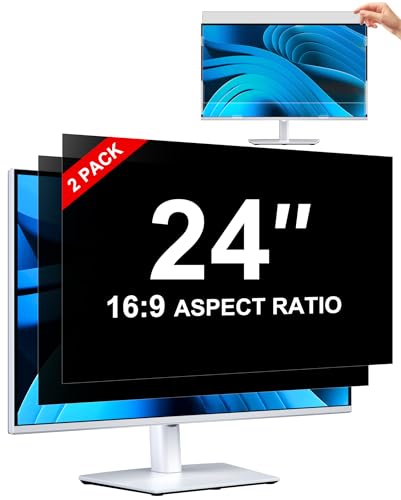
- Glossy and matte sides for different viewing conditions
- Two installation methods, including removable insert mounting
- Washable, anti-scratch, and anti-fingerprint design
Best For: Two 24-inch monitors and changing office lighting
Best Feature-Rich Two-Pack

- Two filters with microlouver side-view privacy
- Reversible glossy and matte surfaces
- Includes adhesive strips, slide mounts, and cleaning cloths
Best For: Paired 24-inch workstations in high-traffic areas
Wide-Fit Hanging Privacy

- Hanging, washable, and reusable design
- ±30° viewing restriction for side privacy
- Intended for many 24-inch 16:9 monitors
Best For: Shared offices with multiple standard 24-inch monitors
Comfort-Focused Screen Privacy

- Anti-glare coating for reflective work areas
- Curved- and touchscreen-compatible design
- Includes two privacy screens
Best For: 27-inch office monitors used in bright shared spaces
Flexible Matte-Gloss Privacy
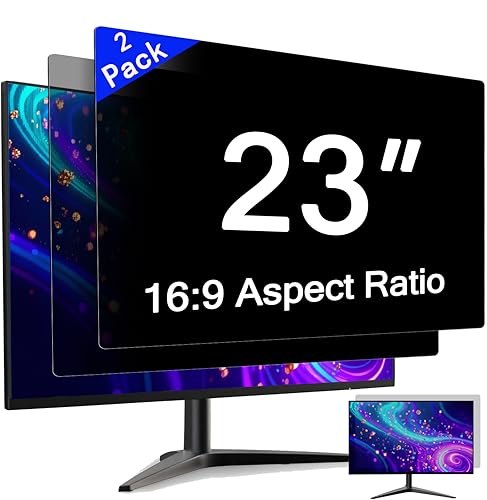
- Switchable matte and glossy viewing sides
- Adhesive tape and slide-tab installation
- Removable, reattachable two-pack
Best For: 23-inch 16:9 monitors in flexible shared workspaces
Best for Durable Desk Protection

- 60-degree side-view blocking
- Tool-free hanging clip design
- 9H scratch-resistant acrylic
Best For: Standard 24-inch office monitors needing privacy and added surface protection
Best for Fast Switching
Magnetic 24-Inch Privacy Screen
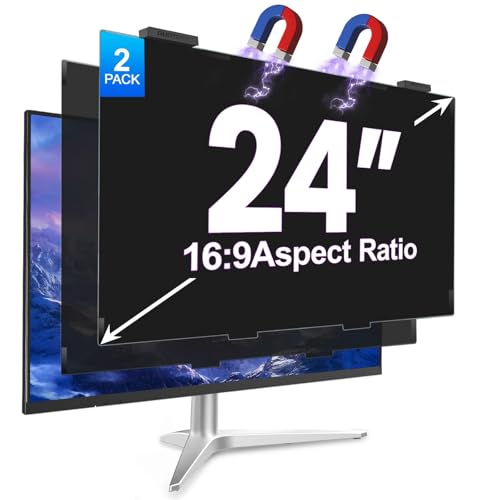
- Quick reusable magnetic attachment
- Stores behind the monitor when removed
- Anti-glare and blue-light protection
Best For: Collaborative workstations using compatible 24-inch 16:9 monitors
Best for Large Frameless Displays
Magnetic 27-Inch Privacy Screen

- 29-degree side-view privacy shield
- Quick magnetic alloy-bracket attachment
- Designed for thin-bezel 27-inch monitors
Best For: Compatible flat, frameless 27-inch monitors in shared offices
Best Overall Fit – SightPro 24-Inch Privacy Screen
For shared offices, this 24-inch 16:9 SightPro filter combines side-view privacy with glare, UV, and blue-light reduction. Check your monitor’s exact width and height before ordering rather than relying only on the diagonal measurement.
Best For: Professionals who need a flexible privacy filter for open offices, travel, or shared workspaces.
Pros:
- Blacks out the display from side angles while keeping a clear straight-on view.
- Offers adhesive-strip and slide-mount installation options.
- Includes a microfiber cloth and two sets of each attachment type.
- Designed for many common monitor brands and listed as Section 889 and TAA compliant.
Cons:
- Slide mounts require a monitor with a raised bezel.
- It does not block visibility from directly behind the user.
This is a well-rounded choice when you want established brand support, multiple mounting methods, and extra visual-comfort features in one 24-inch filter.
Best for Multiple Desks – 27-Inch Two-Pack Privacy Screens
This two-pack is a practical option for shared offices with multiple 27-inch 16:9 monitors. Its matte anti-glare surface is designed to reduce reflections, fingerprints, and eye strain while limiting side views of confidential work.
Best For: Teams, home-office pairs, or departments outfitting two compatible 27-inch displays.
Pros:
- Includes two privacy screens and installation kits.
- Designed for common 27-inch widescreen monitors from brands including Dell, HP, Lenovo, and LG.
- Matte anti-glare finish helps reduce reflections and fingerprints.
- Reusable design is intended for easy installation and removal without residue.
Cons:
- Only fits 27-inch monitors with a 16:9 aspect ratio.
- Specific attachment details are less extensive than some competing listings.
When two desks need monitor privacy screens for shared offices, the bundled format helps simplify purchasing while adding a consistent matte finish across both workstations.
Best Reversible Option – ZOEGAA 24-Inch Two-Pack
The ZOEGAA two-pack gives shared-office users a choice between a glossy side for stronger privacy and a matte side for improved glare control. Measure for the specified 20.92-by-11.77-inch viewing area before buying.
Best For: Users who want two filters and the ability to switch between glossy and matte viewing surfaces.
Pros:
- Two-pack supports outfitting multiple 24-inch monitors.
- Reversible glossy and matte surfaces suit different lighting conditions.
- Offers removable insert-style and permanent adhesive installation methods.
- Washable design includes anti-scratch and anti-fingerprint properties.
Cons:
- Compatibility is limited to 24-inch 16:9 screens with the specified dimensions.
- Adhesive installation is non-detachable.
This is a versatile pick for shared offices where lighting changes or users have different preferences for privacy strength versus glare reduction.
Best Feature-Rich Two-Pack – Mamol 24-Inch Privacy Filters
Mamol’s two-pack is built for shared offices and other high-traffic areas, using microlouver privacy technology to limit side visibility while retaining high-definition viewing from the front. Confirm the 16:9 screen dimensions before installation.
Best For: Users outfitting two 24-inch monitors who want reversible viewing surfaces and reusable mounting hardware.
Pros:
- Blocks visibility around 30 degrees and blacks out the display near 60 degrees, according to the supplied notes.
- Reversible glossy and matte sides balance clarity, privacy, and glare control.
- Includes adhesive strips, slide mounts, cleaning cloths, and an installation guide.
- Washable and reusable with a surface layer designed to resist scratches and fingerprints.
Cons:
- Slide mounts require a monitor with a raised bezel.
- Fits 24-inch 16:9 displays only, so measurements should be verified first.
With two filters and a complete accessory set, this option is especially practical for paired workstations where users need both flexible mounting and adaptable screen finishes.
Wide-Fit Hanging Privacy – 24-Inch Removable 2-Pack
For shared offices with standard 24-inch widescreen monitors, this two-pack offers a practical approach to monitor privacy screens for shared offices. Its hanging design installs and removes quickly without adhesive residue, while the slightly wider sizing is intended to accommodate differences among monitor brands and bezel designs.
Best For: Teams needing reusable privacy coverage for multiple 24-inch, 16:9 monitors.
Pros:
- Two screens with a hanging, removable, and washable design.
- ±30° viewing restriction helps limit side-angle visibility.
- Designed to fit many 24-inch widescreen monitors from major brands.
- Claims to block up to 96% of blue light and 99% of ultraviolet radiation.
Cons:
- Monitor visible width and height should be measured before ordering.
- The hanging format may not provide the edge-to-edge appearance of an adhesive filter.
This is a strong shared-office option when quick installation and reuse matter. Confirm the visible screen dimensions first, since 24-inch monitors can vary by model and bezel.
Comfort-Focused Screen Privacy – 27-Inch Anti-Glare 2-Pack
This two-pack is built for larger 27-inch displays and combines privacy protection with anti-glare and eye-comfort features. For monitor privacy screens for shared offices, its curved- and touchscreen-compatible design can suit varied workplace setups, though buyers should verify their display dimensions.
Best For: Shared work areas using 27-inch monitors where glare reduction and long-session comfort are priorities.
Pros:
- Includes two privacy screens for outfitting more than one workstation.
- Anti-glare coating helps reduce reflections in brightly lit offices.
- Designed to be compatible with curved and touchscreen displays.
- Anti-scratch construction adds resistance to everyday surface damage.
Cons:
- The supplied details do not specify installation hardware or mounting methods.
- Compatibility should be confirmed for the exact 27-inch monitor dimensions.
Choose this model when a 27-inch shared-office display needs privacy alongside glare and scratch resistance. Its compatibility claims are broad, but checking the screen size and shape remains important before purchase.
Flexible Matte-Gloss Privacy – 23-Inch Reversible 2-Pack
This two-pack gives shared workstations two viewing finishes in one removable privacy filter. It is a useful choice among monitor privacy screens for shared offices because the matte side can reduce glare, while the glossy side offers clearer front viewing and stronger privacy support.
Best For: 23-inch 16:9 office monitors where staff need adjustable glare control and removable installation.
Pros:
- Reversible matte and glossy sides provide two viewing options.
- Includes adhesive tape and slide mounting tabs for flexible installation.
- Removable and reattachable design suits changing workstations.
- Two-pack includes installation accessories and a guide.
Cons:
- Slide tabs are intended for monitors with a raised bezel.
- The filter may slightly reduce brightness, requiring a monitor adjustment.
- Screen width and height should be confirmed before ordering.
This is a versatile pick for offices that alternate between glare reduction and clearer front viewing. Its two installation methods add flexibility, but the mounting setup and 23-inch dimensions should match each monitor.
Best for Durable Desk Protection – 24-Inch 9H Privacy Screen
For shared offices and cubicles, this 24-inch monitor privacy screen combines side-view blocking with a durable protective surface. Its hanging clip design fits many 23.6- to 24-inch, 16:9 monitors and can be removed when coworkers need to view the display.
Best For: HR, finance, managers, and other users who want privacy plus scratch protection on a standard 24-inch office monitor.
Pros:
- Darkens the display from a 60-degree side angle while keeping the front view clear.
- Tool-free hanging installation avoids adhesive residue and can be removed for collaboration.
- 9H acrylic construction helps guard against scratches, dust, splashes, and minor impacts.
- Matte surface and claimed blue-light and UV filtering support more comfortable extended work.
Cons:
- Limited to 23.6-, 23.8-, and 24-inch widescreen monitors with a 16:9 ratio.
- Requires measuring the viewable screen area before ordering.
- The two-pack may be unnecessary if only one monitor needs protection.
This is a practical choice when a shared-office privacy screen also needs to act as a sacrificial protective layer. Verify the monitor’s viewable dimensions and bezel configuration before purchase.
Best for Fast Switching – Magnetic 24-Inch Privacy Screen
This magnetic 24-inch monitor privacy screen is designed for shared offices where privacy protection needs to be added or removed quickly. The reusable magnetic attachment supports fast switching, while the anti-glare and blue-light features are aimed at extended desk use.
Best For: Open-office users who regularly alternate between private work and collaborative screen sharing on compatible 24-inch, 16:9 displays.
Pros:
- Magnetic attachment installs and removes quickly without adhesive.
- Can be hung on the back of the monitor when privacy protection is not needed.
- Designed to block side views while preserving front-facing HD clarity.
- Claims 98% blue-light blocking, with an anti-reflective coating and scratch protection.
Cons:
- Compatibility depends on the stated 20.91-by-11.73-inch screen dimensions and 16:9 ratio.
- Users must measure the screen area excluding the bezel before ordering.
- Frameless-monitor fit may vary by display design despite broad brand compatibility claims.
The standout feature is convenience: this two-pack suits workstations where privacy needs change throughout the day. Confirm both width and height measurements, particularly for frameless screens.
Best for Large Frameless Displays – Magnetic 27-Inch Privacy Screen
For larger shared-office displays, this 27-inch magnetic monitor privacy screen limits side visibility while maintaining a clear front view. Its alloy hanging brackets are made for quick attachment to compatible thin-bezel monitors, making it useful when sensitive work alternates with collaboration.
Best For: Users with a compatible frameless 27-inch, 16:9 monitor who need removable privacy for email, documents, or other confidential on-screen work.
Pros:
- Limits viewing to approximately a 29-degree front viewing range and darkens the sides.
- Magnetic alloy brackets attach without screws, glue, or complex assembly.
- Claims 92% or higher transparency while filtering blue light.
- Reinforced construction is described as impact-resistant and resistant to deformation.
Cons:
- Designed specifically for frameless or thin-bezel 27-inch, 16:9 monitors.
- Not compatible with curved displays.
- Only one privacy filter is included.
This model is a strong fit for larger thin-bezel office monitors, especially where a magnetic, no-adhesive setup is preferred. Check the display shape and dimensions carefully because curved and incompatible monitors will not work.
How We Picked the Best Monitor Privacy Screens for Shared Offices
We focused on products designed for the most common shared-office displays: 16:9 monitors measuring approximately 23 to 27 inches. Our selection considers screen compatibility, viewing-angle privacy, installation method, glare control, surface protection, and overall practicality for everyday business use.
Multipacks received particular attention because they can reduce the cost of equipping several desks or keeping a spare available. However, a two-pack is only useful if both filters match the monitors being protected, so verify measurements before ordering.
Quick Comparison
| Feature | What to look for | Best suited to |
|---|---|---|
| Screen size | Exact diagonal and 16:9 compatibility | Standard office monitors |
| Mounting | Magnetic, hanging, adhesive, or removable tabs | Fixed or frequently shared workstations |
| Privacy design | Restricted side viewing with clear straight-on visibility | Open-plan desks and reception areas |
| Surface features | Anti-glare, blue-light filtering, or scratch resistance | Bright offices and extended computer use |
| Pack size | Single or two-screen package | Individual users or multi-desk rollouts |
Key Buying Factors for Monitor Privacy Screens for Shared Offices
Confirm the Actual Monitor Dimensions
A listed size such as “24 inch” is not enough on its own. Check the monitor’s diagonal measurement, visible screen area, aspect ratio, and bezel design. Most options here target 16:9 screens, but a 24-inch display with an unusual frame or resolution may still require a different filter.
Choose the Right Attachment System
Magnetic screens are convenient for compatible monitors and can be removed quickly, while hanging designs are useful when you want to avoid adhesives or move the filter between workstations. Frameless displays may need a particularly careful fit because there is less bezel area for support.
Balance Privacy with Brightness and Clarity
Privacy filters reduce side-angle visibility, but they can also make the screen appear darker. Anti-glare treatments may help under overhead lights, while blue-light filtering is an optional comfort feature rather than a substitute for sensible breaks and proper display settings.
Consider Durability and Maintenance
Scratch-resistant surfaces are helpful in hot-desking environments where filters are handled often. Look for a design that can be cleaned safely and stored without bending or damaging the viewing surface.
Who Should Buy Which Monitor Privacy Screens for Shared Offices?
Choose a single 23- or 24-inch filter for one conventional workstation where the monitor remains in place. A 27-inch model is better for larger widescreen displays, but measure carefully because the extra size does not guarantee compatibility. Multipacks make the most sense for teams, paired monitors, or offices that want a replacement on hand.
For desks where privacy requirements change throughout the day, prioritize magnetic or removable hanging models. For bright shared offices, consider anti-glare construction. If employees frequently transport equipment, select a lightweight removable design and store it in a protective sleeve when not in use. Whichever option you choose, treat the filter as one part of a broader privacy policy that includes screen locking, careful document handling, and positioning monitors away from high-traffic sightlines.