Finding a useful gift for a software developer is easier when you start with how they spend their day: at a desk, moving between devices, or taking a break from screens.
These 14 Christmas picks include practical workstation upgrades, portable tech, and creative gifts for different routines and interests.
14 Christmas Gift Ideas for Software Developers to Consider in 2026
A More Capable Laptop Desk
UGREEN Maxidok Thunderbolt 5 Dock

- Adds ports for displays, storage, and desk peripherals.
- Supports an NVMe SSD up to 8TB in its built-in slot.
- A useful upgrade for a laptop-centered workspace.
Best For: A developer who wants to connect monitors, storage, and accessories at home.
A Smoother Daily Workflow
Logitech MX Master 3S Bluetooth Mouse

- Quiet clicks and a scroll wheel designed for speed and precision.
- Customizable buttons and app-specific profiles support personal workflows.
- Connects to up to three devices over Bluetooth.
Best For: A developer who switches between computers, browser tabs, and apps throughout the day.
Pixel Art for the Desk
Divoom Ditoo-Pro Pixel Art Speaker

- Create pixel designs or choose from the app gallery.
- Plays music over Bluetooth, from a TF card, or through USB-C.
- Alarm, timer, reminders, and white noise add desk-friendly functions.
Best For: A developer who enjoys music and customizable pixel art at their desk.
A Flexible Laptop Setup
Lamicall Adjustable Laptop Stand

- Adjustable height and angle help tailor a laptop workspace.
- Folds for storage or travel.
- Fits laptops from 10 to 17.3 inches.
Best For: A laptop-using developer who wants more flexibility in their desk arrangement.
A Tidier Desk Surface

- A document hideaway keeps loose papers beneath the top layer.
- Magnetic cable holder keeps a cable within reach.
- Vegan leather surface is water-repellent and easy to wipe clean.
Best For: A developer who wants a more organized desk for everyday work.
A Thoughtful Coffee Break
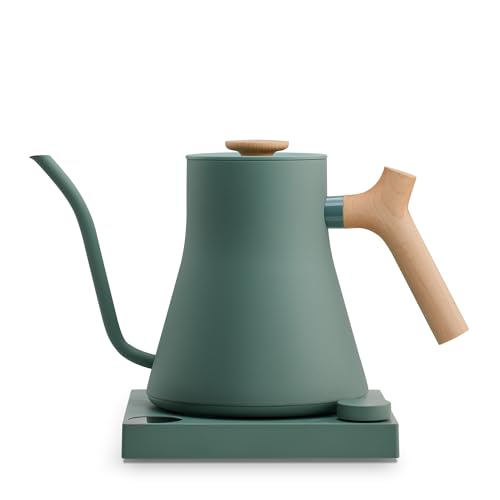
- To-the-degree temperature control for coffee or tea.
- Brew timer and customizable settings support a personal routine.
- Gooseneck spout is designed for a steady pour.
Best For: A developer who enjoys making pour-over coffee or tea between focused work sessions.
A Keyboard Made to Customize
Keychron K2 Pro Wireless Keyboard
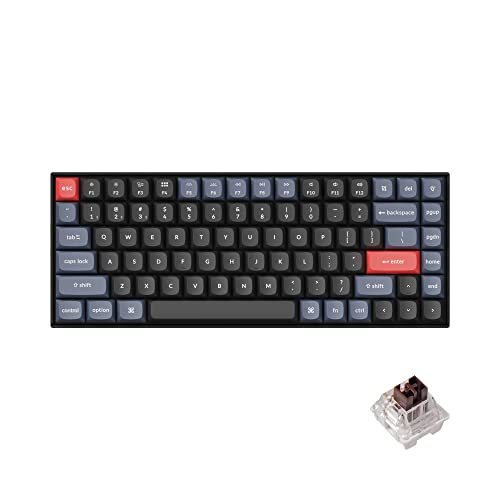
- Compact 75% layout with tactile brown switches.
- Hot-swappable sockets let users change compatible switches without soldering.
- QMK/VIA support enables key remapping and macros.
Best For: A developer who wants a customizable mechanical keyboard for a compact desk.
Power for Work on the Move
Anker 737 24,000mAh Power Bank

- Offers 24,000mAh capacity and up to 140W charging.
- Smart display shows input, output, and estimated recharge time.
- Includes a USB-C cable and travel pouch.
Best For: A developer who travels with a laptop or works away from an outlet.
A Quieter Listening Break
Soundcore Space One ANC Headphones

- Adaptive noise cancelling with five adjustable levels.
- Up to 40 hours of playback with ANC on, according to the product details.
- App features include EQ modes and ANC settings.
Best For: A developer who wants music or reduced distractions while working or commuting.
Portable Space for Projects
Samsung T7 Shield 2TB Portable SSD
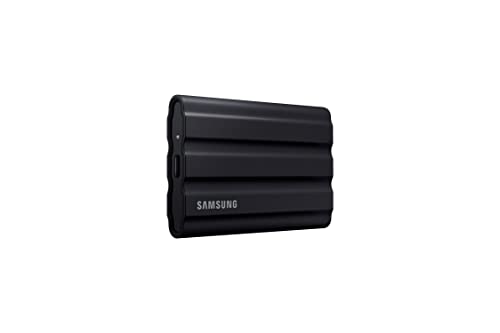
- 2TB capacity for project files, backups, or media.
- USB 3.2 Gen 2 connection with read speeds up to 1,050 MB/s.
- IP65 water and dust resistance and drop resistance up to 9.8 feet.
Best For: A developer who needs portable storage for work files and backups.
Shortcut Keys for a Custom Setup

- Fifteen customizable LCD keys provide visual feedback.
- Trigger one or several actions with a single press.
- Plugins and hotkeys can support app and media workflows.
Best For: A developer who enjoys shortcuts, automation, streaming, or customizing their workflow.
A Different Way to Navigate
Kensington Expert Trackball Mouse
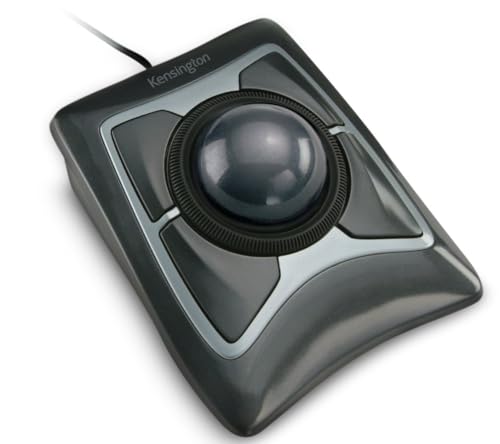
- Large 55mm ball and optical tracking for cursor control.
- Scroll ring makes it easy to move through pages.
- Ambidextrous design includes a detachable wrist rest.
Best For: A developer curious about using a trackball at a fixed desk.
A Book on the Craft of Coding

- Covers practical software development ideas across languages and frameworks.
- Topics include flexible code, requirements, security, and testing.
- Written for new coders, experienced programmers, and software managers.
Best For: A developer who enjoys reading about software craft and problem solving.
A Nostalgic Build for Downtime

- A 2,079-piece adult building set designed as a display model.
- Working features include moving typebars and a carriage that shifts as keys are pressed.
- Includes a letter for display and illustrated building instructions.
Best For: A software developer who likes creative building sets and retro desk decor.
Christmas Gift Ideas for Software Developers: How to Choose
Christmas gift ideas for software developers work best when they reflect the recipient’s habits, workspace, and interests beyond their job title. A developer who works at one desk may appreciate a laptop stand, desk mat, or docking station. Someone who switches between devices might get more use from a multi-device mouse or wireless keyboard. For a person who travels or works in different places, portable storage, a power bank, or headphones could be a better fit.
Think about what they already own before choosing a tech accessory. Check the computer they use, the ports it has, and whether their setup is built around Windows, macOS, or Linux. Compatibility can be especially important for a docking station, keyboard, or programmable controller. If you can’t check directly, choose an item with a clearly stated compatibility range or lean toward a book or creative project that doesn’t depend on their computer setup.
Match the Gift to Their Work Style
Consider whether the recipient spends most of the day typing, managing multiple screens, joining calls, editing media, or working with files. A programmable keyboard or Stream Deck may appeal to someone who enjoys customizing shortcuts and workflows. A portable SSD can suit someone who moves large files between compatible devices. A desk speaker with app-controlled pixel art adds a playful touch, while a typewriter building set offers an off-screen activity with a finished display piece.
There are also useful gifts for people who are not looking for more software or coding tools. A kettle may fit someone who enjoys making pour-over coffee or tea, and headphones may suit a commute or a focused work session. Choose based on a known routine instead of assuming every developer wants a gadget centered on programming.
Set a Budget That Fits the Occasion
Gift budgets can vary widely, so decide what feels comfortable before comparing options. Small desk accessories and books can make thoughtful presents without turning the occasion into a major equipment purchase. Larger items, such as a docking station or specialized controller, may be better choices when you know the recipient wants that kind of upgrade.
For a higher-cost tech gift, consider whether it solves a real everyday need. A device that connects several peripherals or expands storage can be valuable when it fits an existing setup, but its usefulness depends on compatibility and the recipient’s habits. When that information is uncertain, a creative set or a book may involve fewer setup questions. You can also coordinate with family or friends on one larger gift if that suits your plans.
Personalization Tips for a More Thoughtful Gift
Personalization can come from matching a gift to a person’s preferences, not necessarily from adding a name or custom engraving. Think about their desk style, preferred colors, typing habits, favorite devices, and what they do away from work. A compact keyboard may appeal to someone who values desk space, while a trackball could interest someone curious about a different way to navigate a computer. Confirm right- or left-hand preferences and operating system needs where relevant.
A short note can make a practical gift feel more personal. Explain why you thought it suited their setup or routine, such as organizing a busy desk, keeping project files portable, or making a regular coffee break more enjoyable. For a book or building set, mention the interest that brought it to mind. Avoid promising a gift will improve health or productivity; focus on its stated features and why they match what you know about the recipient.
Last-Minute Christmas Buying Advice
If you’re shopping close to Christmas, start by narrowing the choice to items whose compatibility you can verify quickly. Check the product details for the recipient’s computer type, connection needs, and intended use. A Bluetooth-only mouse, for example, does not include a USB receiver, while some accessories require a particular port or software. Reading those details before ordering can prevent a mismatch.
Confirm current delivery estimates and availability on the retailer’s listing before placing an order; they can change during the holiday season. If timing is uncertain, consider giving a printed note or card explaining the gift you chose and presenting the item later. Keep the receipt and packaging until the recipient has had a chance to check that the item works with their setup.
Above all, let what you know about the person guide the final choice. A well-matched everyday accessory, a useful book, or a creative project can make a thoughtful Christmas gift without relying on a generic idea of what software developers like.