A KVM extender lets you position a computer away from your desk while still controlling it with a local monitor, keyboard, and mouse. For a home office, that can reduce noise, clear desk clutter, or place a workstation in a nearby room.
These 10 picks cover practical setups ranging from compact 1080p links to long-range 4K, USB, IR, PoC, and dual-monitor extenders. Compare distance, resolution, connection type, and included features before choosing.
Best 10 Kvm Extenders for Home Offices Picks for 2026
Compact 1080p Choice
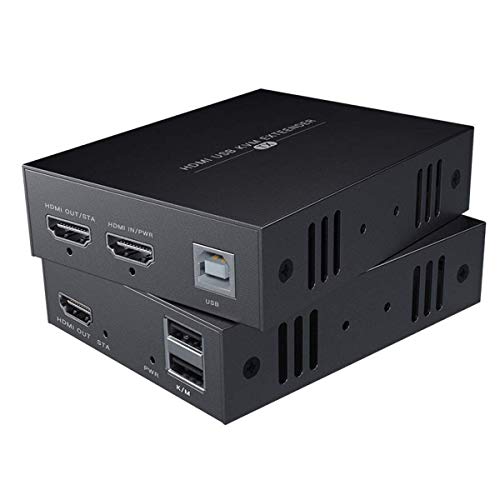
- 1080p at 60Hz
- Up to 50m over Cat6/7
- USB keyboard and mouse control
Best For: Moderate-distance 1080p home-office setups
Premium 4K Reach
OREI 400ft HDBaseT KVM Extender

- 4K60 HDMI support
- Up to 400ft over Ethernet
- USB KVM and two-way IR
Best For: Long-distance 4K workstations and gaming setups
Maximum VGA Distance
TESmart 984ft USB KVM Extender

- Up to 984ft range
- 1920×1200 at 60Hz
- Remote keyboard and mouse control
Best For: Very long VGA-based office connections
Feature-Rich 4K Setup
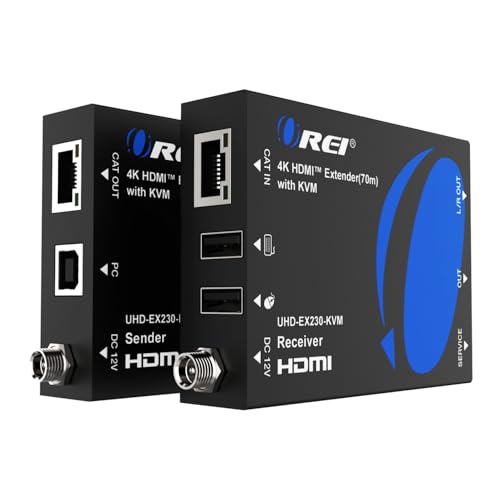
- 4K60 with HDR support
- 230ft over Cat6/7
- HDMI loop-out and audio extraction
Best For: Flexible dual-display 4K home offices
Best Networked 4K Pick

- 4K video up to 120m over Cat5e
- USB KVM with three receiver ports
- Supports existing IP networks and up to 16 sets
Best For: Networked home offices and remote workstations
Best Feature-Rich 4K Pick
HDMI KVM Extender with Loop Out

- 4K extension up to 393 feet
- Local HDMI loop-out for a second display
- Adds audio outputs and IR control
Best For: Multi-display home-office and media setups
Best Value 1080p Pick
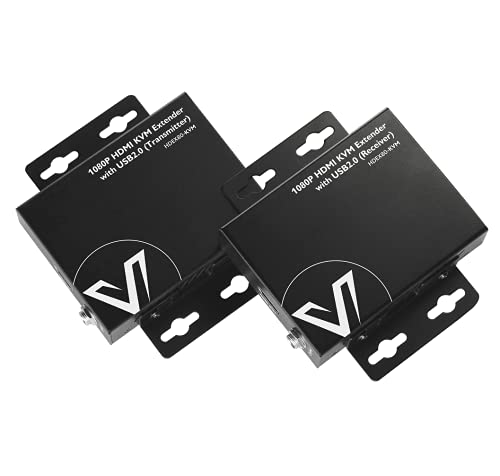
- 1080p at 60Hz up to 260 feet
- Two USB 2.0 ports for KVM control
- Two-way PoE helps simplify power setup
Best For: Simple 1080p home-office workstations
Best Long-Range Value

- 1080p transmission up to 394 feet
- Loop-out for local monitoring
- Supports standard keyboard and mouse control
Best For: Long-distance home-office monitor and KVM setups
Best Simple Setup
Basicolor PoC HDMI KVM Extender
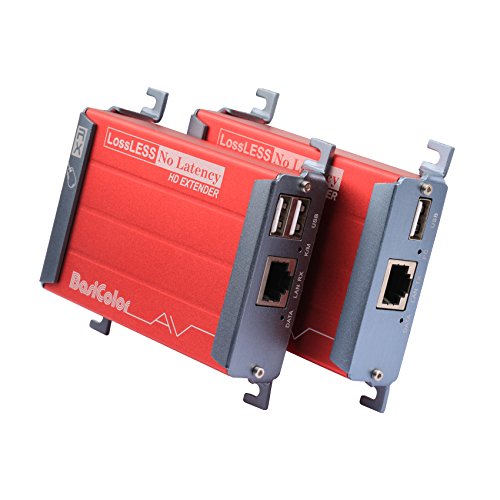
- 1080p video up to 262 feet
- One-adapter PoC power design
- USB 2.0 support for common peripherals
Best For: Streamlined home-office and media-room installations
Best for Dual Monitors

- Extends two 1080p displays to 197 feet
- Four USB 2.0 ports on the receiver
- PoC power reduces source-side cabling
Best For: Dual-monitor home-office workstations with multiple USB devices
Compact 1080p Choice – 50m HDMI USB KVM Extender
For home offices needing a simple way to place a monitor, keyboard, and mouse away from a computer, this HDMI KVM extender for home offices sends 1080p video and USB control over Cat5e, Cat6, or Cat7 cable. It supports up to 50 meters with Cat6/7 cable and uses a straightforward transmitter-and-receiver setup.
Best For: Home-office users who need dependable 1080p remote computer access over a moderate cable run.
Pros:
- Supports 1080p at 60Hz for full-HD video.
- Extends HDMI and keyboard/mouse control over Ethernet cable.
- Works with Windows, Mac OS, and Linux systems listed by the manufacturer.
Cons:
- Maximum range is shorter than some specialized long-distance extenders.
- For the longest stated distance, Cat6 or Cat7 cable is recommended.
This is a practical, no-frills option when 1080p is sufficient and your home-office layout does not require an exceptionally long cable run. Its broad operating-system compatibility and USB KVM support make it flexible for everyday computer use.
Premium 4K Reach – OREI 400ft HDBaseT KVM Extender
This OREI model is aimed at home offices that need higher-resolution HDMI transmission over a longer run. As one of the more capable KVM extenders for home offices, it supports 4K60 video, USB KVM functionality, and transmission up to 400 feet over a suitable Ethernet cable.
Best For: Long-distance 4K computer or gaming-console connections where video quality and remote USB control matter.
Pros:
- Supports 4K at 60Hz with HDMI 2.0b and HDCP 2.2.
- Offers a stated 400-foot transmission distance over Ethernet.
- Includes USB 1.1 KVM support and two-way IR.
- Supports HDR formats and multichannel audio formats listed by OREI.
Cons:
- Its longer-range, 4K-focused feature set may be more than a basic office setup needs.
- The supplied notes do not specify the exact Ethernet cable category required for the full range.
Choose this extender when a remote display is far from the source and you want to preserve 4K60 capability. Its combination of HDBaseT transmission, KVM control, and IR support gives it a broader role than a basic 1080p extender.
Maximum VGA Distance – TESmart 984ft USB KVM Extender
If your computer still uses VGA, this TESmart unit offers an unusually long connection range for home offices. It sends up to 1920×1200 at 60Hz and keyboard/mouse data over a single Cat5e or Cat6 cable, reaching up to 984 feet according to the supplied specifications.
Best For: VGA-based workstations that require very long-distance remote monitor and USB control.
Pros:
- Supports resolutions up to 1920×1200 at 60Hz.
- Provides a stated range of up to 984 feet over Cat5e/Cat6.
- Extends keyboard and mouse data for remote PC control.
- Includes 8KV ESD protection and smart gain control.
Cons:
- Uses VGA rather than HDMI, limiting compatibility with newer computers and displays.
- Requires a Cat5e or Cat6 cable meeting the stated wiring standard.
This is a specialized choice for legacy VGA equipment or installations where cable distance is the priority. It is less suitable for a modern HDMI-first desk, but its long range and high-resolution VGA support can solve a difficult routing problem.
Feature-Rich 4K Setup – OREI 230ft HDMI KVM Extender
This OREI extender combines 4K60 HDMI transmission with practical features for a flexible home-office installation. It sends video up to 230 feet over Cat6/7 cable, extends keyboard and mouse control, and adds a transmitter HDMI loop-out for a local display.
Best For: 4K home offices that need both a remote display and a local monitor, plus flexible audio handling.
Pros:
- Supports 4K at 60Hz, HDR formats, and HDCP 2.2.
- Extends USB KVM control up to 230 feet over Cat6/7 cable.
- Provides HDMI loop-out for a local display at the source.
- Includes EDID pass-through and a 3.5mm analog audio output at the receiver.
Cons:
- Its 230-foot range is shorter than the longest-distance model in this group.
- Requires suitable Cat6 or Cat7 cabling for the stated transmission capability.
For a modern workstation, this is one of the more versatile kvm extenders for home offices because it combines 4K video, remote USB control, local HDMI monitoring, and receiver-side audio extraction. It is especially appealing when one computer must serve displays in two locations.
Best Networked 4K Pick – 4K HDMI USB KVM Extender
For home offices that need to place a computer or server away from the desk, this KVM extender uses a single Cat5e/6/6a/7 cable—or an existing IP network—to carry 4K video, audio, USB, and keyboard-and-mouse control. It is a strong choice when you want long-distance flexibility without running a dedicated HDMI cable.
Best For: Networked home offices, remote workstations, and centralized PCs or servers.
Pros:
- Extends 4K at 30Hz up to 120m over Cat5e, or up to 150m over Cat6/6a/7.
- Supports USB 2.0 KVM control with three USB ports on the receiver.
- Works with Windows, macOS, and Linux without drivers.
- Supports up to 16 extender sets on the same network through DIP-switch pairing.
Cons:
- 4K output is limited to 30Hz.
- The setup uses separate transmitter and receiver units and requires network cabling.
This is the most network-oriented option in the group, with the distance, IP-network compatibility, and peripheral capacity to support a flexible home-office layout. Its 4K@30Hz limit is worth keeping in mind for high-refresh workflows.
Best Feature-Rich 4K Pick – HDMI KVM Extender with Loop Out
This HDMI KVM extender suits home offices that want to control a remote computer while retaining a local display. It sends 4K video up to 393 feet over Cat6-class cabling and adds HDMI loop-out, independent audio connections, and IR control for a more versatile installation.
Best For: Home offices that need a local monitor plus a remote display, with flexible audio and source control.
Pros:
- Extends 4K at 30Hz up to 393 feet over Cat6, Cat6a, or Cat7 cable.
- HDMI loop-out lets the transmitter feed a local monitor while sending video remotely.
- Provides keyboard-and-mouse control from the receiver side.
- Includes independent 3.5mm audio outputs and IR transmitter and receiver cables.
Cons:
- 4K output is limited to 30Hz.
- Its many connections may be more than a simple single-monitor office setup requires.
The loop-out is the standout feature for a home office: you can keep a local screen at the source while extending the same system elsewhere. Choose it when audio extraction and IR control are useful, not merely for basic keyboard-and-mouse extension.
Best Value 1080p Pick – Compact HDMI KVM Extender
If your home office uses a 1080p monitor, this compact KVM extender provides a straightforward way to move video and USB control up to 260 feet over one Cat5e/6/6a/7 cable. Its two-way PoE design can also reduce the need for a second power adapter at the remote end.
Best For: 1080p home offices, remote PCs, NVRs, and simple keyboard-and-mouse extension.
Pros:
- Extends 1080p at 60Hz up to 260 feet over a single Ethernet cable.
- Extends USB 2.0 at up to 480Mbps with two USB ports.
- Two-way PoE allows power from either side, with one power supply recommended at the receiver.
- Compact metal housing provides durability, EMI/RFI reduction, and heat dissipation.
Cons:
- Supports 1080p rather than 4K video.
- Provides two USB ports, fewer than the first product in this roundup.
This is a practical fit for buyers who do not need 4K and want a smaller, simpler extender. The 1080p@60Hz support is well matched to everyday office displays, while two-way PoE can make installation neater.
Best Long-Range Value – 120M HDMI KVM Extender
For home offices that need to place a monitor away from the computer, this HDMI KVM extender for home offices sends 1080p video and basic keyboard-and-mouse control up to 394 feet over Cat5e/6/7 cabling. Its loop-out connection is useful when you want to monitor the remote display locally.
Best For: Long cable runs to a remote monitor, keyboard, and mouse in a home office, classroom, conference room, or home theater.
Pros:
- Supports up to 394 feet of 1080p transmission over Cat5e/6/7 cable.
- Loop-out function allows a local monitor connection for status checking.
- Plug-and-play operation with broad Windows, Mac, and Linux compatibility.
- Reset button and status indicators simplify troubleshooting.
Cons:
- USB support is limited to standard keyboards and mice; gaming peripherals and switches are not supported.
- Both transmitter and receiver require power, and the units do not support single-side power.
- The UTP cable must follow the IEEE-568B wiring standard.
This is a practical choice when maximum reach matters more than advanced USB functionality. Confirm your cable termination and plan for power at both ends before installing.
Best Simple Setup – Basicolor PoC HDMI KVM Extender
The Basicolor is a straightforward option for home offices that need 1080p video and USB control over one Cat5/Cat5e/Cat6/Cat6e cable. Its PoC design can reduce installation clutter by using one power adapter, while the receiver can extend USB devices for interactive workstation use.
Best For: Home-office desks, media rooms, and classroom-style setups needing a relatively simple single-cable extension with keyboard, mouse, or selected USB accessories.
Pros:
- Transmits 1080p video up to 262 feet over compatible Ethernet cabling.
- PoC charging allows operation with one power adapter, with charging recommended on the receiver side.
- Supports USB 2.0 devices such as keyboards, mice, webcams, microphones, headsets, and USB storage.
- Works with Windows, macOS, and Linux without separate software or drivers.
Cons:
- Keyboard and mouse extension is specified up to 80 meters, while USB flash drives, webcams, and similar devices are limited to 35 meters.
- Performance depends on using suitable shielded Cat6 cable or better for the stated distances.
Choose this model if one-adapter operation and broader USB 2.0 support are more important than the longest possible reach. Keep the shorter USB-distance specification in mind when placing cameras or storage devices.
Best for Dual Monitors – Dual 1080p HDMI KVM Extender
For a home office built around two screens, this dual-monitor HDMI KVM extender sends two 1080p HDMI signals plus USB 2.0 over a single Cat5e/6/6a/7 cable. The receiver provides four USB ports, making it suitable for a remote keyboard, mouse, printer, scanner, camera, or hard drive.
Best For: Dual-monitor workstations that need extended USB connectivity and a clean single-cable link between the computer and remote desk.
Pros:
- Extends two 1080p signals at 60Hz up to 197 feet.
- Provides four receiver-side USB 2.0 ports for multiple peripherals.
- Two USB ports support higher 5V/1A output for devices such as cameras or USB hard disks.
- One-way PoC lets the receiver power the transmitter through the Cat cable.
Cons:
- Requires a dual-monitor setup to benefit fully from its two HDMI outputs.
- USB and video extension are limited to the stated 197-foot range.
- Its 12V power setup still requires a power connection at the receiver side.
This is the strongest fit for productivity-focused home offices where two displays and several remote USB devices justify the added hardware. It also offers a convenient installation advantage through receiver-side PoC power.
How We Picked These Kvm Extenders for Home Offices
We selected models that extend both video and USB control over standard Cat5e, Cat6, Cat6a, or Cat7 cable. The lineup spans common home-office requirements: 1080p and 4K output, short and long cable runs, HDMI and VGA compatibility, local loop-out, audio, infrared control, dual-monitor support, and power-over-cable designs.
Distance claims are maximum advertised ranges and depend on cable quality, resolution, refresh rate, interference, and the installation environment. For dependable results, use properly terminated solid-core Ethernet cable and avoid treating a passive network switch as automatically compatible unless the manufacturer explicitly supports it.
Quick Comparison
| Need | What to prioritize | Best-fit options in this roundup |
|---|---|---|
| Basic remote control | 1080p HDMI, USB keyboard and mouse, simple setup | Basicolor, 50m HDMI KVM, VPFET |
| 4K office workstation | 4K support, HDCP compatibility, adequate bandwidth | OREI 4K models, AV Access 4K |
| Very long runs | 300m or 984ft-rated transmission | TESmart VGA, VPFET, selected AV Access models |
| Extra connectivity | Loop-out, audio, IR, or PoC | OREI, AV Access, loop-out models |
| Multiple displays | Dual-monitor output and matching source support | Dual-monitor HDMI KVM extender |
Key Buying Factors for Kvm Extenders for Home Offices
Resolution and Refresh Rate
Choose 1080p for everyday documents, browsing, and video calls when cost and distance matter most. Select 4K if you use a high-resolution monitor, detailed creative applications, or large spreadsheets. Confirm the supported refresh rate; a “4K” label does not always mean 4K at 60Hz.
Cable Distance and Installation
Measure the complete cable path rather than the straight-line distance. Leave headroom below the advertised maximum, especially with 4K signals. Cat6 or better is generally a sensible choice for new installations, while short runs may work well over existing Cat5e.
USB, Audio, IR, and Local Loop-Out
Verify that the extender supports the USB devices you actually use. Some are designed mainly for keyboard and mouse control, while others may handle additional peripherals. Audio ports, IR pass-through, and loop-out are useful when you need speakers, remote equipment control, or a local display at the source.
Power and Compatibility
PoC can simplify installation by reducing the number of power adapters, but check which unit receives power and whether the included supplies match your setup. Also confirm HDMI version, HDCP support, operating-system compatibility, and whether the source has the required USB connection.
Who Should Buy Which Kvm Extenders for Home Offices?
Choose a compact 1080p model for a straightforward office PC, home server, or DVR connection where affordability and simplicity matter. Pick a 4K OREI or AV Access unit for a modern desktop, media workstation, or monitor that requires sharper output. For unusually long cable paths, compare the TESmart and long-range 1080p options carefully, particularly if VGA is acceptable.
If you need to keep a local monitor active while controlling the remote system, prioritize loop-out. If two displays are essential, select the dual-monitor model and verify your computer’s output configuration before buying. For most home offices, the best choice is the shortest-range model that supports your resolution and peripherals with comfortable distance headroom.