Working on a MacBook Pro in a café, airport, classroom, or shared office can expose sensitive information to nearby viewers. A properly fitted privacy screen narrows the visible viewing angle while helping protect documents, messages, and account details.
We selected 10 laptop privacy screens for MacBook Pro across 13-inch, 14-inch, and 16-inch models, including magnetic, removable, matte, anti-glare, and blue-light-filtering designs. Use the guide below to match screen compatibility and features to your daily workflow.
Best 10 Laptop Privacy Screens for Macbook Pro Picks for 2026
Best Magnetic Fit
SightPro 14-Inch MacBook Pro Privacy Screen

- Magnetic, removable installation
- Fits many 2021–2026 14-inch models
- Includes storage folder and cleaning cloth
Best For: Frequent travelers and open-workspace users
Best Matte Protection
Peslv 14-Inch MacBook Pro Privacy Screen
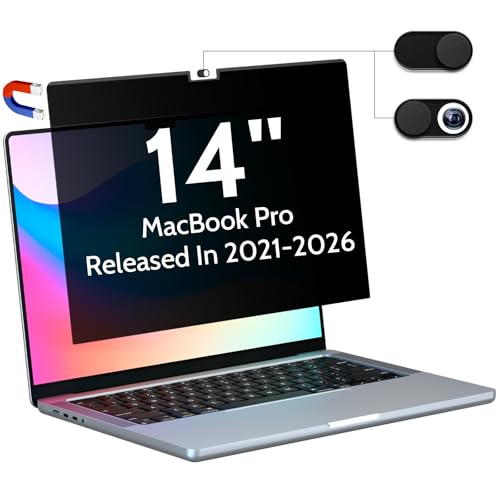
- Quick magnetic installation
- Matte anti-glare surface
- Designed for approximately ±30° privacy
Best For: Users working under bright or reflective lighting
Best 16-Inch Value
Magnetic MacBook Pro 16-Inch Privacy Filter

- Fits listed 16.2-inch MacBook Pro models
- Removable magnetic installation
- Glossy and matte viewing options
Best For: 16-inch users needing portable workplace privacy
Best Premium 16-Inch Option
Kensington MP16 MacBook Pro Privacy Screen
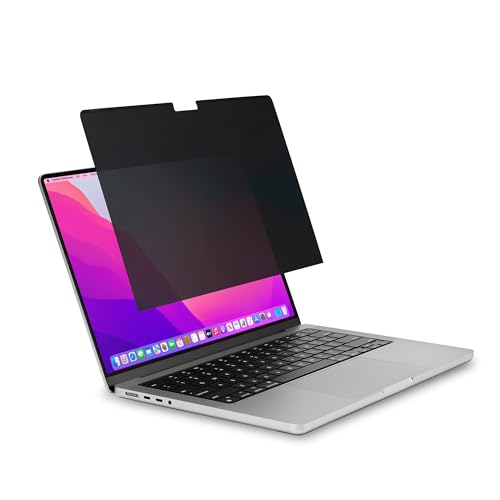
- Reversible matte and glossy sides
- Uses built-in MacBook frame magnets
- Includes holder and cleaning cloth
Best For: 16-inch owners wanting organized, brand-name protection
Best for Easy Setup
SightPro 13-Inch Magnetic Privacy Screen

- Magnetic, removable attachment
- Fits specified 13.3-inch MacBook Pro models
- Includes webcam cover and storage folder
Best For: 13-inch MacBook Pro users needing flexible privacy for travel or open workspaces
Best Four-Way Coverage
IPROKKO 14-Inch 360° Privacy Screen

- Privacy from four viewing directions
- Matte anti-glare and anti-blue-light design
- 9H hardness with silicone adhesive installation
Best For: 14-inch MacBook Pro users seeking broad privacy and screen protection
Best for Large Screens
SightPro 16-Inch Magnetic Privacy Screen

- Magnetic attachment for easy removal
- Designed for specified 16.2-inch MacBook Pro models
- Reduces side visibility with anti-glare treatment
Best For: 16-inch MacBook Pro users who need removable privacy in shared spaces
Best 13-Inch Fit
MacBook Pro 13-Inch Privacy Screen

- Fits listed 2016–2022, M1, and M2 models
- Side-angle privacy from about ±25 degrees
- Matte, anti-glare electrostatic installation
Best For: MacBook Pro 13-inch users seeking a fitted, non-adhesive filter
Best Magnetic 16-Inch Option
F FORITO MacBook Pro 16-Inch Privacy Screen

- Fits listed 2021–2024 and M1–M4 models
- Quick magnetic installation and removal
- 360-degree privacy with anti-glare filtering
Best For: 16-inch MacBook Pro users who need removable privacy protection
Best for MacBook Air Compatibility
Magnetic 13-Inch Privacy Screen

- Fits listed MacBook Pro and Air 13-inch models
- Adhesive-free magnetic, reusable design
- Includes a magnetic webcam cover
Best For: 13-inch MacBook households using both MacBook Pro and Air
Best Magnetic Fit – SightPro 14-Inch MacBook Pro Privacy Screen
For shoppers comparing laptop privacy screens for MacBook Pro, the SightPro is a convenient choice for compatible 14.2-inch models. Its magnetic attachment makes it easy to install or remove without adhesive, while the multi-layer filter is designed to obscure side views and maintain clear viewing straight on.
Best For: MacBook Pro 14-inch users who frequently work in travel settings, open offices, healthcare environments, or other public spaces.
Pros:
- Magnetic snap-on design installs and removes without messy tape or damaging adhesive.
- Compatible with numerous 14-inch MacBook Pro models from 2021 through 2026, including M1 through M5 variants.
- Includes a storage folder and cleaning cloth for transport and maintenance.
- Filter reduces UV and blue-light exposure and helps protect against scratches.
Cons:
- It does not block visibility from directly behind the user.
- Buyers need to verify their exact MacBook model and display size before ordering.
The SightPro stands out for its patented-style magnetic mounting approach and included storage accessories. It is a practical fit for users who want removable privacy protection without permanently attaching a screen filter.
Best Matte Protection – Peslv 14-Inch MacBook Pro Privacy Screen
The Peslv is a strong contender among laptop privacy screens for MacBook Pro 14-inch models. It uses a reinforced magnetic strip for quick attachment and combines a narrow viewing angle with a matte, anti-glare surface for users who work around reflections and nearby onlookers.
Best For: 14-inch MacBook Pro owners who want removable privacy protection, glare reduction, and added blue-light and UV filtering.
Pros:
- Magnetic installation is designed to take seconds and avoids adhesive.
- Limits side visibility to approximately a 30-degree viewing range.
- Matte surface reduces reflected light and glare.
- Claims 95% blue-light and 92% UV-light reduction, plus an anti-scratch layer.
Cons:
- Compatibility should be checked carefully against the listed MacBook model numbers.
- The supplied notes do not specify whether a cleaning cloth is included.
Peslv combines quick removal with a matte finish, making it especially appealing for bright offices, cafés, trains, and airports. Its broad 2021–2026 compatibility list also makes model verification straightforward.
Best 16-Inch Value – Magnetic MacBook Pro 16-Inch Privacy Filter
This magnetic filter is designed for 16.2-inch MacBook Pro models and offers the core features to look for in laptop privacy screens for MacBook Pro: removable installation, side-view blocking, anti-glare options, and high-definition transmission. Check the model number carefully before ordering.
Best For: 16-inch MacBook Pro users who need a removable privacy filter for commuting, travel, healthcare work, or open offices.
Pros:
- Built-in magnets allow installation and removal in seconds without adhesive or bubbles.
- Limits side viewing to approximately ±30 degrees while maintaining clear front viewing.
- Glossy and matte surfaces support privacy and reflection reduction.
- Scratch-resistant construction and included UV and blue-light filtering add everyday protection.
Cons:
- A slight gap is normal and may be noticeable to some users.
- Compatibility is limited to listed 16.2-inch MacBook Pro model numbers.
- The supplied notes do not mention a storage case or cleaning cloth.
For a 16-inch MacBook Pro, this filter offers a balanced feature set with easy magnetic mounting and flexible surface finishes. Its exact-fit compatibility makes checking the model number an important step before purchase.
Best Premium 16-Inch Option – Kensington MP16 MacBook Pro Privacy Screen
The Kensington MP16 is a polished option among laptop privacy screens for MacBook Pro 16-inch models from 2021 onward. It attaches to the MacBook’s built-in frame magnets, limits side viewing to about ±30 degrees, and provides reversible matte and glossy viewing options.
Best For: 16-inch MacBook Pro users who want a removable, reversible privacy screen from an established accessory brand.
Pros:
- Uses the MacBook’s built-in magnets for removable attachment.
- Limits viewing angles to approximately ±30 degrees to help conceal confidential information.
- Reversible matte and glossy sides accommodate different lighting preferences.
- Includes a cleaning cloth and screen holder; sleep functionality still works when enabled.
Cons:
- Compatibility is specified for 2021–2024 16-inch MacBook Pro models, so newer models require verification.
- Blue-light reduction is listed as up to 22%, less than some competing claims in this roundup.
- The webcam notch may be visible as part of the design.
The MP16 is a sensible pick for buyers who value reversible finishes, organized storage, and compatibility with the MacBook’s existing magnetic frame. Its narrower stated model range makes checking your specific generation especially important.
Best for Easy Setup – SightPro 13-Inch Magnetic Privacy Screen
For owners of compatible 13-inch MacBook Pro models, this SightPro option is a convenient choice among laptop privacy screens for MacBook Pro. Its magnetic attachment lets you add or remove the filter without relying on permanent adhesive, making it practical for changing between private and unobstructed viewing.
Best For: 13-inch MacBook Pro users who want a removable privacy filter for travel, commuting, or open workspaces.
Pros:
- Magnetic, snap-on attachment is easy to remove and reattach.
- Designed for specified 13.3-inch Retina MacBook Pro models from 2016 onward, including M1 and M2 versions.
- Side-view privacy, anti-glare treatment, and UV and blue-light reduction.
- Includes a webcam cover, storage folder, and cleaning cloth.
Cons:
- Compatibility is limited to the listed 13-inch MacBook Pro models.
- It does not block visibility from directly behind the user.
This is a strong fit when easy removal matters as much as privacy. Verify your MacBook’s model number before ordering, especially because the supported configurations vary across years.
Best Four-Way Coverage – IPROKKO 14-Inch 360° Privacy Screen
The IPROKKO filter stands out among laptop privacy screens for MacBook Pro because it is designed to provide privacy from four directions. Its matte, anti-glare surface and blue-light reduction add screen comfort for compatible 14-inch MacBook Pro users working in bright or shared environments.
Best For: 14-inch MacBook Pro owners who prioritize four-direction privacy, glare reduction, and scratch resistance.
Pros:
- 360° design is intended to limit viewing from above, below, left, and right.
- Compatible with specified 14-inch MacBook Pro models from 2021 through 2026, including M-series configurations.
- Matte anti-glare and anti-blue-light features support more comfortable viewing.
- Silicone adhesive installation is designed to be bubble-free and removable without messy conventional adhesive.
Cons:
- Requires careful model-number verification before purchase.
- Adhesive installation is less instantly removable than a magnetic screen.
Choose this model if broader viewing-angle coverage is your main priority. Its listed compatibility is extensive, but checking the exact model number remains essential for a proper fit.
Best for Large Screens – SightPro 16-Inch Magnetic Privacy Screen
For a larger MacBook Pro workspace, this SightPro filter provides a removable magnetic solution among laptop privacy screens for MacBook Pro. It is tailored to the 16.2-inch Liquid Retina XDR display and is suited to travelers, commuters, and professionals working around other people.
Best For: 16-inch MacBook Pro users who want quick-on, quick-off privacy without a permanent installation.
Pros:
- Patented magnetic attachment makes installation and removal straightforward.
- Designed for specified 16-inch MacBook Pro models from 2021 onward, including M-series Pro and Max versions.
- Reduces side visibility while maintaining clear straight-on viewing.
- Offers anti-glare properties plus UV and blue-light reduction, and includes a storage folder and cleaning cloth.
Cons:
- It does not prevent visibility directly behind the user.
- Compatibility is restricted to the listed 16.2-inch MacBook Pro model numbers.
This is a practical large-screen pick when you need privacy during travel or in shared offices but still want to remove the filter when working alone. Confirm the model number before buying, particularly for newer MacBook Pro generations.
Best 13-Inch Fit – MacBook Pro 13-Inch Privacy Screen
For shoppers comparing laptop privacy screens for MacBook Pro, this model is designed specifically for compatible 13-inch MacBook Pro models from 2016 through 2022, including M1 and M2 versions. Its electrostatic installation, matte finish, and side-angle privacy protection make it practical for working in public spaces.
Best For: MacBook Pro 13-inch owners who want a fitted, non-adhesive privacy screen with glare and blue-light reduction.
Pros:
- Designed for listed MacBook Pro 13-inch models, including M1 and M2 versions.
- Limits side-angle visibility beginning at approximately ±25 degrees.
- Matte anti-glare surface includes claimed blue-light and UV filtering.
- Electrostatic installation is intended to be beginner-friendly and leaves the camera and ambient-light sensor unobstructed.
Cons:
- Compatibility is limited to the specified 13-inch MacBook Pro models.
- It does not block the view directly behind the user.
- Privacy and clarity can vary with screen brightness and viewing angle.
This is a sensible choice when exact model compatibility matters and you prefer a screen that installs without adhesive. Verify the MacBook model number before ordering, especially if you own a different MacBook generation.
Best Magnetic 16-Inch Option – F FORITO MacBook Pro 16-Inch Privacy Screen
This F FORITO model is a strong option among laptop privacy screens for MacBook Pro if you use a compatible 16-inch MacBook Pro from 2021 through 2024. Its magnetic top attachment and bottom adhesive provide quick removal while the anti-glare, anti-blue-light design supports extended use in shared or public spaces.
Best For: 16-inch MacBook Pro users who want quick magnetic installation, removable privacy protection, and a precise fit.
Pros:
- Compatible with listed 16-inch MacBook Pro models from 2021–2024, including M1 through M4 Pro/Max versions.
- Upgraded magnetic design enables installation and removal in about two seconds.
- Claims 360-degree privacy protection to restrict side viewing.
- Precision cutouts preserve touch-screen functionality and allow the laptop to close without interference.
Cons:
- Compatibility is limited to specific 16-inch MacBook Pro model numbers.
- The bottom attachment uses adhesive, so it is not entirely magnet-only.
- Users should verify the model number before purchase to avoid fit issues.
Choose this screen if you regularly switch between private and shared work areas and want a removable design. Its main advantage is the combination of quick access, broad viewing-angle restriction, and a fit intended not to interfere with closing the laptop.
Best for MacBook Air Compatibility – Magnetic 13-Inch Privacy Screen
For households or workplaces using both MacBook Pro and MacBook Air, this magnetic filter offers broader compatibility than many laptop privacy screens for MacBook Pro. It fits listed 13-inch MacBook Pro and MacBook Air models, attaches without adhesive, and includes a separate magnetic webcam cover.
Best For: 13-inch MacBook Pro and MacBook Air users who want a reusable magnetic filter with camera privacy.
Pros:
- Supports listed MacBook Pro 13-inch models from 2016–2022, including M1 and M2, plus several MacBook Air 13-inch models.
- Strong-magnet installation is removable, reusable, and adhesive-free.
- Includes a magnetic webcam cover for added camera privacy.
- Matte anti-glare construction claims up to 95% blue-light and UV reduction, with scratch- and fingerprint-resistant layers.
Cons:
- Compatibility remains limited to the listed MacBook Air and MacBook Pro model numbers.
- The screen blocks privacy viewing angles to about 30 degrees rather than providing unrestricted visibility.
- The matte surface may not suit users who prefer a glossy display finish.
This is the most versatile pick of the three for users sharing accessories across compatible MacBook Air and Pro systems. The removable design and included webcam cover add convenience, while the model-number check remains essential for a proper fit.
How We Picked the Best Laptop Privacy Screens for Macbook Pro
We focused first on model and size compatibility, since a privacy filter made for the wrong MacBook Pro generation may block the camera, leave exposed edges, or fail to attach securely. The selection covers 13-inch models from 2016–2022, 14-inch models from 2021 onward, and 16-inch models from 2021 onward.
We also considered attachment method, removability, viewing-angle performance, surface finish, glare control, installation convenience, and whether the design supports features such as blue-light reduction or 360-degree privacy claims. Because product specifications can vary by listing and revision, confirm the exact model identifier before ordering.
Quick Comparison
| MacBook Pro size | Best suited to | Common features |
|---|---|---|
| 13-inch | Older Intel and M1/M2 models | Magnetic or removable fit, matte options |
| 14-inch | 2021 and newer Pro models | Magnetic attachment, anti-glare finishes, blue-light filtering |
| 16-inch | 2021 and newer Pro models | Large-screen coverage, removable magnetic designs, glare reduction |
Key Buying Factors for Laptop Privacy Screens for Macbook Pro
Exact Size and Model Compatibility
Screen size alone is not always enough. Check the MacBook Pro year, chip generation, display diagonal, camera placement, and aspect ratio. A 13-inch MacBook Air filter is not automatically suitable for a 13-inch MacBook Pro, and newer 14-inch and 16-inch models use different dimensions.
Magnetic Versus Adhesive Installation
Magnetic filters are convenient when you switch between private and shared viewing, and removable designs generally leave less residue. Adhesive tabs can provide a more permanent hold but may be less convenient to reposition. Check whether the filter allows the lid to close fully and whether it interferes with the webcam or speakers.
Privacy Angle and Image Quality
A narrower viewing angle offers stronger side privacy, while a wider angle is more practical for occasional collaboration. Privacy filters can reduce brightness and perceived sharpness, so look for an optical design that preserves readable text when viewed straight on. Matte surfaces help reduce reflections but may introduce a slightly grainier appearance.
Comfort and Everyday Usability
If you work under bright lighting, anti-glare treatment may be more valuable than maximum privacy. Blue-light filtering can be useful for some users, but it should not replace regular breaks or comfortable display settings. Consider weight, storage, fingerprint resistance, and how easily the filter can be removed without scratching the display.
Who Should Buy Which Laptop Privacy Screens for Macbook Pro?
Choose a magnetic 13-inch option if you use an older MacBook Pro and want quick removal. For a 14-inch MacBook Pro used in public spaces, prioritize an exact 2021-or-newer fit and a removable magnetic attachment. A 16-inch model is the better choice for larger Pro and Max laptops, provided the filter matches the specific display generation.
Frequent travelers and hybrid workers should favor lightweight, removable filters with reliable magnetic alignment. Users working beneath overhead lights may prefer matte anti-glare designs, while those handling confidential records should prioritize strong side-angle privacy and precise coverage over extra features. Before purchasing, compare the listing’s compatibility chart with your MacBook’s model information and verify the return policy.