Powered KVM extenders let you control a computer from a more convenient location while sending video, keyboard, and mouse signals over standard Ethernet cabling. They are useful for home offices, control rooms, classrooms, studios, and server environments where the computer must stay out of sight or away from the display.
This roundup compares 10 options across 4K performance, transmission distance, USB support, cabling requirements, and installation design. Use the buying guide below to narrow the list based on your resolution, refresh rate, distance, and workflow needs.
Best 10 Powered Kvm Extenders Picks for 2026
Long-Run Value
4K60 KVM Extender with Loop Out
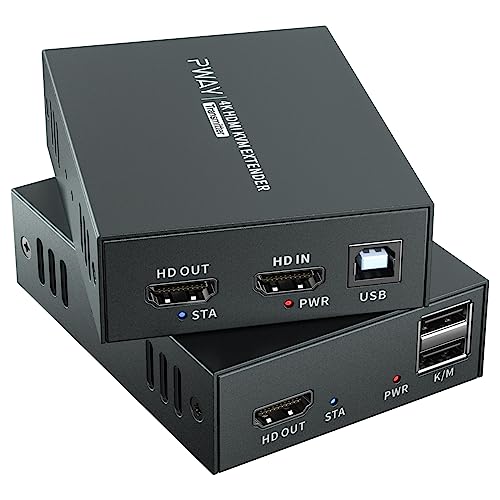
- 4K@60Hz over Cat6/Cat7 up to 196 feet
- Remote keyboard and mouse control
- HDMI loop out and single-power POC
Best For: Long-distance office, classroom, and security-room installations
Integration Pick
AV Access 4K60 KVM with RS-232

- 4K@60Hz 4:4:4 over Cat6/6A/7
- Four USB 2.0 device connections
- Bidirectional RS-232 and audio de-embedding
Best For: Integrated commercial AV and control-room systems
Maximum Reach

- 4K@60Hz extension up to 330 feet
- HDR and premium audio format support
- HDMI loop out and 3.5mm audio output
Best For: Long-distance professional AV and signage deployments
High-Refresh Choice
AV Access 4K60 Gaming KVM Extender

- Supports 4K60, 1080p240, and 2K144
- Four remote USB 2.0 ports
- Audio de-embedding and EDID control
Best For: Gaming, high-refresh workstations, and studio setups
Premium 4K Choice
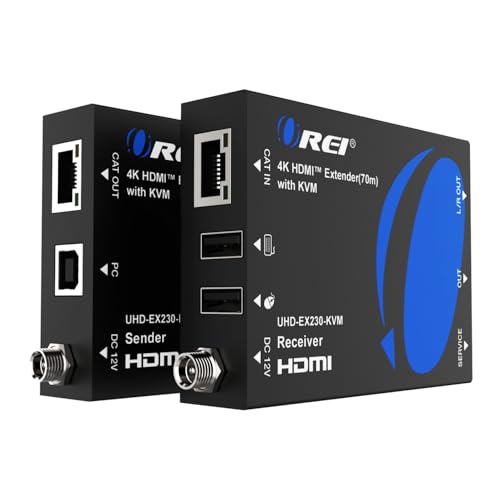
- 4K@60Hz transmission up to 230 feet
- USB KVM and HDMI loop-out
- HDR, EDID, and analog audio support
Best For: 4K workstations and media rooms needing remote control
Long-Range 1080p Pick
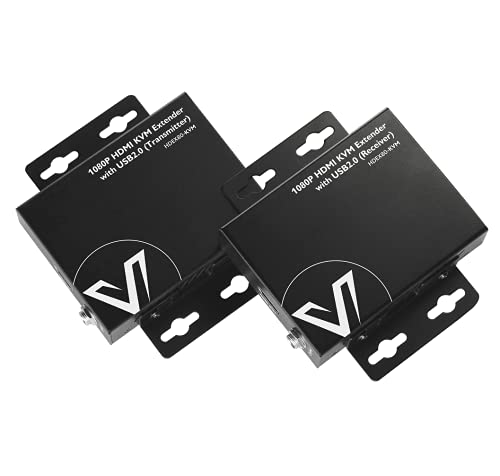
- 1080p@60Hz up to 260 feet
- Two USB 2.0 ports for remote control
- Two-way PoE with metal enclosure
Best For: Long-distance 1080p PC, NVR, and DVR control
Single-Power Setup
1080p KVM Extender with Loop-Out

- 1080p HDMI over Cat6/7
- Power Over Cable uses one adapter
- Remote USB KVM and HDMI loop-out
Best For: 1080p remote PC setups with local monitoring
Best for Dedicated AV Racks

- 4K@60Hz extension up to 100m
- Four remote USB 2.0 ports
- PoH, RS232, audio, and EDID support
Best For: Server rooms, control racks, and industrial AV installations
Best for Existing Ethernet Networks

- Extends video and USB up to 150m
- Works over compatible Gigabit switches
- Three remote USB 2.0 ports
Best For: Scalable server rooms, classrooms, and distributed workstations
Best for 4K 4:4:4 Networking

- 4K 4:4:4 at 60Hz up to 120m
- USB keyboard and mouse extension
- HDMI loop-out and one-to-many support
Best For: High-detail 4K PC control and expandable network installations
Long-Run Value – 4K60 KVM Extender with Loop Out
This powered KVM extender is a practical choice when you need to send 4K video and keyboard/mouse control up to 196 feet over Cat6 or Cat7 cable. Its HDMI loop out and single-power POC design make it especially convenient for monitoring a local and remote display.
Best For: Offices, classrooms, security rooms, conference spaces, and home theaters needing long-distance HDMI and USB control.
Pros:
- Supports 4K@60Hz transmission up to 196 feet.
- Combines HDMI video with remote keyboard and mouse control.
- Includes transmitter HDMI loop out, EDID, metal housing, and single-adapter POC.
Cons:
- USB functionality is centered on keyboard and mouse control rather than broad peripheral expansion.
- Requires a suitable Cat6 or Cat7 cable run for the stated distance.
Choose this model if distance, local monitoring, and a cleaner one-adapter installation matter more than advanced serial or audio-integration features.
Integration Pick – AV Access 4K60 KVM with RS-232
Among powered kvm extenders, this AV Access model stands out for installations that need more than basic keyboard and mouse access. It supports 4K@60Hz 4:4:4 video over Cat6-class cabling while adding USB 2.0 expansion, bidirectional RS-232, and audio de-embedding.
Best For: Control rooms, meeting rooms, multimedia classrooms, and AV systems requiring serial and audio integration.
Pros:
- Supports 4K@60Hz 4:4:4 with HDMI 2.0 and HDCP 2.3 compliance.
- Connects up to four remote USB 2.0 devices.
- Provides bidirectional RS-232, audio de-embedding, and bidirectional POC.
Cons:
- Its 130-foot stated range is shorter than some competing models.
- Advanced integration features may be unnecessary for simple keyboard-and-mouse setups.
This is a strong fit when the extender must serve as part of a broader AV control system, particularly where serial equipment and centralized audio routing are involved.
Maximum Reach – OREI 4K HDBaseT KVM Extender
If range is the main concern, this powered kvm extender offers up to 330 feet of HDMI and USB extension over a single Cat5e, Cat6, or Cat7 cable. It also adds HDR support, premium audio compatibility, HDMI loop out, and receiver-side audio extraction for more involved AV installations.
Best For: Professional control rooms, digital signage, conference rooms, and long-distance home theater or commercial AV systems.
Pros:
- Extends 4K@60Hz 4:4:4 HDMI and USB up to 330 feet.
- Supports HDR10, HDR10+, Dolby Vision, HLG, and several advanced audio formats.
- Includes HDMI loop out, 3.5mm receiver audio output, and one-adapter PoC.
Cons:
- The longer-range professional feature set may be excessive for short cable runs.
- USB extension is specified as USB 2.0, not a higher-speed USB standard.
Consider this OREI model when cable distance and AV format support outweigh the need for a compact, basic extender. Its loop out and audio extraction are useful additions for multi-location monitoring.
High-Refresh Choice – AV Access 4K60 Gaming KVM Extender
This powered kvm extender targets users who want remote PC access without giving up smooth gaming or high-refresh performance. It supports 4K@60Hz 4:4:4, 1080p@240Hz, and 2K@144Hz over 164 feet, with four remote USB ports and audio de-embedding.
Best For: Gaming setups, home offices, CCTV monitoring, studios, and remote workstations using high-refresh displays.
Pros:
- Supports 4K@60Hz 4:4:4, 1080p@240Hz, and 2K@144Hz.
- Provides four USB device ports for keyboard, mouse, storage, camera, or conferencing equipment.
- Includes USB power on two ports, audio de-embedding, EDID control, and one-way POC.
Cons:
- The stated 164-foot range is shorter than the longest-range option in this roundup.
- Two USB ports are specified for up to 1A power output, which may not suit every demanding peripheral.
This is the more performance-oriented choice for users who need responsive high-refresh video and fuller remote USB access, rather than only basic KVM control.
Premium 4K Choice – 4K HDMI KVM Extender
For shoppers seeking powered kvm extenders with high-resolution support, the OREI EX-230PRO-KVM combines 4K video transmission, remote keyboard-and-mouse control, and a local HDMI loop-out. It sends compatible HDMI signals up to 230 feet over Cat6/7 cable and supports plug-and-play installation.
Best For: Home offices, media rooms, and workstations that need 4K@60Hz video plus remote USB KVM control.
Pros:
- Supports 4K@60Hz over Cat6/7 cable up to 230 feet.
- Includes USB KVM extension for remote keyboard and mouse control.
- Offers HDMI loop-out, EDID pass-through, HDR compatibility, and receiver-side analog audio output.
- Includes a dual-voltage power supply and a one-year warranty.
Cons:
- Requires quality Cat6/7 cabling for the stated range.
- Uses a power adapter rather than a fully cable-powered design.
This is the strongest fit when 4K clarity and flexible audio and display connectivity matter more than minimizing power connections. Its KVM and loop-out features also make it practical for remote PC setups with a local monitor.
Long-Range 1080p Pick – 80M HDMI KVM Extender
The AV Access HDEX80-KVM is a practical powered kvm extender for 1080p systems that need long cable runs and remote USB control. It sends 1080p@60Hz HDMI and USB 2.0 signals up to 260 feet over one Cat5e through Cat7 cable, without requiring software or drivers.
Best For: Remote PCs, NVRs, DVRs, and control stations that need 1080p video and keyboard-and-mouse access over extended distances.
Pros:
- Extends 1080p@60Hz HDMI and USB signals up to 260 feet.
- Provides two USB 2.0 ports with speeds up to 480Mbps.
- Two-way PoE allows one power supply at either side, with receiver-side installation recommended.
- Metal housing helps with durability, heat dissipation, and EMI/RFI reduction.
Cons:
- Limited to 1080p rather than 4K video.
- USB extension is USB 2.0, not a faster USB standard.
Choose this model when distance, broad operating-system compatibility, and simplified power placement are priorities. Its sturdy enclosure and driver-free setup suit practical installations where 1080p is sufficient.
Single-Power Setup – 1080p KVM Extender with Loop-Out
The OREI HD-EX330-KVM is a useful choice among powered kvm extenders for 1080p installations that benefit from a single power adapter. It carries HDMI video over Cat6/7 cable, supports remote keyboard-and-mouse operation, and adds an HDMI loop-out for a display near the source.
Best For: Remote PC and compatible HDMI setups that need 1080p transmission, local monitoring, and a simplified power arrangement.
Pros:
- Supports 1080p HDMI transmission over Cat6/7 cable with low-latency operation.
- Power Over Cable requires only one power adapter.
- Includes USB KVM control for remote keyboard and mouse use.
- Provides HDMI loop-out and compatibility with Windows, Mac OS, and Linux.
Cons:
- Supports 1080p rather than 4K resolution.
- The supplied notes list the range inconsistently as 100 meters and 230 feet, so installation distances should be verified before purchase.
This extender stands out for installations where reducing power hardware is important. The loop-out is especially helpful when the source needs to remain connected to a nearby display while also serving a remote workstation.
Best for Dedicated AV Racks – 4K HDBaseT KVM Extender
For buyers comparing powered kvm extenders for a dedicated, long-distance installation, this AV Access HDBaseT model combines 4K video, USB 2.0, audio, and RS232 over one Cat6/6a/7 cable. Its PoH design lets one power supply serve both transmitter and receiver, helping reduce rack and cable clutter.
Best For: Server rooms, control racks, CCTV installations, industrial systems, and other point-to-point setups needing broad peripheral and control support.
Pros:
- Extends 4K@60Hz video up to 100m/330ft over a single compatible Ethernet cable.
- Provides four receiver-side USB ports for keyboards, mice, storage, cameras, and other peripherals.
- Includes bidirectional RS232, stereo audio pass-through, EDID control, and PoH power delivery.
Cons:
- Its 4K mode is specified as 4:2:0 rather than 4:4:4.
- Designed primarily for dedicated point-to-point HDBaseT installations rather than network-based expansion.
This is a strong choice when installation reliability and complete remote workstation control matter more than using an existing IP network. The metal construction, LED indicators, and driver-free setup suit demanding professional environments.
Best for Existing Ethernet Networks – 4K IP KVM Extender
This AV Access model is one of the more flexible powered kvm extenders for distributed installations because it can use existing Cat5e/6/7 cabling and compatible Gigabit Ethernet switches. It carries HDMI video and USB 2.0 control over distances reaching 120m on Cat5e or up to 150m on Cat6/6A/7.
Best For: Server rooms, control centers, classrooms, and organizations that want scalable remote computer access over an existing Ethernet infrastructure.
Pros:
- Supports 4K video up to 120m over Cat5e and up to 150m over Cat6/6A/7.
- Can operate directly or through compatible Gigabit Ethernet switches for more flexible deployments.
- Offers remote USB 2.0 access through three receiver-side device ports and supports zero-latency transmission.
Cons:
- Maximum listed 4K video refresh rate is 30Hz.
- Networked installations require compatible Gigabit Ethernet equipment.
Choose this extender when scalability and cable reuse are priorities. It provides responsive remote control and multichannel digital audio while leaving room for larger distributed deployments than a simple point-to-point link.
Best for 4K 4:4:4 Networking – OREI 4K60 IP KVM
For powered kvm extenders that prioritize full 4K color detail, the OREI EX-500-KVM supports 4K 4:4:4 at 60Hz over a high-quality shielded Cat6 cable. It can run point-to-point or expand to one-to-many operation through a separate 1G network switch.
Best For: Users needing high-refresh 4K PC extension, local monitoring, and the option to control one source from multiple receiver locations.
Pros:
- Supports 4K 4:4:4 at 60Hz over distances up to 400 feet/120 meters.
- Provides USB KVM support for keyboard and mouse, plus one-way IR control from receiver to transmitter.
- Includes transmitter HDMI loop-out, automatic EDID/DDC management, and HDCP 2.2 compliance.
Cons:
- Only two USB 1.1 ports are specified for keyboard and mouse connectivity.
- One-to-many operation requires a separate 1G network switch.
- Optimal performance requires high-quality shielded Cat6 cable; flat cables should not be used.
This OREI kit stands out for buyers who value 4K60 4:4:4 output and local source monitoring. Its network expansion is useful, but the cable and switch requirements should be included in the installation plan.
How We Picked the Best Powered Kvm Extenders
We focused on the specifications that most affect real-world installation and usability: maximum resolution and refresh rate, transmission distance, supported Ethernet cable categories, USB functionality, signal reliability, HDCP and EDID handling, loop-out options, and power design. The selection includes direct point-to-point HDMI extenders as well as IP-based models for installations that need network flexibility.
Distance claims depend on cable quality, termination, interference, and the selected video mode. Treat maximum ranges as installation limits rather than guaranteed performance at every resolution.
Quick Comparison
| Best For | Look For | Typical Advantage |
|---|---|---|
| 4K office or workstation | 4K at 60Hz, USB 2.0, EDID | Smooth desktop control and broad display compatibility |
| Long cable runs | HDBaseT support and extended range | More predictable point-to-point transmission |
| High-refresh gaming or production | 4:4:4 support and 1080p at 240Hz | Better motion clarity and color detail |
| Flexible multi-device systems | IP-based transmission | Uses network infrastructure for scalable layouts |
| Simple installations | PoC or single-power design | Fewer power adapters at the remote end |
Key Buying Factors for Powered Kvm Extenders
Resolution, Refresh Rate, and Color Format
Choose an extender that matches the display you actually use. A 4K model is not automatically suitable for 4K gaming or professional video: check whether it supports 60Hz and 4:4:4 chroma. If you use a high-refresh 1440p or 1080p monitor, verify those modes separately.
Transmission Distance and Cabling
Cat5e may work for shorter runs, while Cat6, Cat6A, or Cat7 can provide more headroom for demanding signals and longer routes. Measure the complete path, including wall plates and patch panels. For distances near the product limit, choose a model with a greater rated range than your measured requirement.
USB and KVM Behavior
Check which USB devices are supported. Keyboard and mouse control generally require less bandwidth than storage, webcams, touchscreens, or other peripherals. USB 2.0 support is common, but it does not provide USB 3.x transfer speeds. Also confirm whether the extender supports the number and type of USB ports you need.
Power, EDID, and Signal Compatibility
Power over cable can simplify installation, but confirm how PoC works and whether both units still require local power in your setup. EDID management helps the source recognize the display correctly, while HDCP support matters for protected content and compatible receivers.
Point-To-Point Versus IP
Point-to-point extenders are usually simpler and easier to troubleshoot. IP models can travel through compatible network switches and support more flexible layouts, but they may require dedicated network planning and configuration. Do not place an IP extender on a busy network without checking bandwidth and multicast requirements.
Who Should Buy Which Powered Kvm Extenders?
- Choose a standard 4K point-to-point model for a home office, workstation, or conference room with one source and one remote display.
- Choose a long-range HDBaseT option for a dedicated run across a large home, classroom, studio, or commercial space.
- Choose a high-refresh model if you use gaming monitors, fast-moving content, or a 1440p/1080p display above 60Hz.
- Choose PoC or single-power hardware when outlet access is limited behind the remote display.
- Choose an IP-based extender when you need to use structured network cabling, share sources, or plan a larger distributed-video system.
Before ordering, confirm the source output, display input, cable category, required range, USB devices, and power layout. Those details matter more than the headline resolution alone.