A smart home hub with local processing can keep automations responsive, reduce cloud dependence, and connect devices across protocols such as Zigbee, Z-Wave, Matter, and Thread. The right choice depends on the devices you already own, how much setup you want to handle, and whether remote access matters.
We compare 10 leading hubs for automation depth, protocol support, local control, expandability, and ease of use so you can choose a platform that fits your home today and remains flexible as your setup grows.
Best 10 Smart Home Hubs with Local Processing Picks for 2026
Best Overall

- Preinstalled Home Assistant OS
- Local data storage and automation platform
- USB expansion for Z-Wave, Zigbee, and Thread
Best For: Easy Home Assistant setup with room to expand
Best for Tapo Security

- Local camera footage storage
- Supports up to 16 cameras and 64 sensors
- Optional storage up to 16TB
Best For: Centralized Tapo camera and sensor management
Best Multi-Protocol Hub

- Local automations without a subscription
- Matter, Z-Wave, Zigbee, and Bluetooth support
- Works with major voice ecosystems
Best For: DIY users building complex, mixed-brand systems
Best for Long-Range Sensors

- Local execution for synced automations
- LoRa range up to a quarter mile
- Local API for Home Assistant integration
Best For: Long-range YoLink sensors and local control
Best Edge Hub

- Local Edge Hub automations
- Zigbee, Thread, and Matter bridge
- IR control with device feedback
Best For: Aqara households wanting private local automations
Best Z-Wave Hub

- Locally managed automations
- Built-in 800 Series Z-Wave radio
- Supports Z-Wave Long Range and mesh
Best For: DIY users building broad Z-Wave systems
Best Camera-Centered Hub
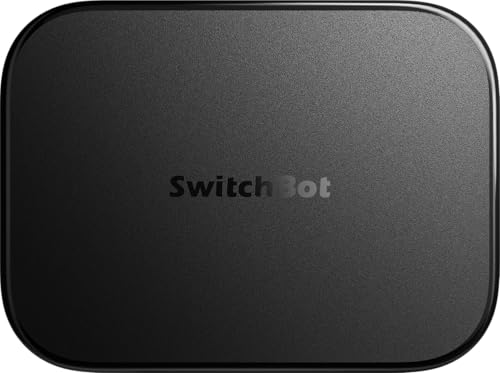
- Local camera event storage
- Home Assistant and Matter bridge
- Supports up to eight compatible cameras
Best For: SwitchBot users combining cameras with local control
Compact Local Control

- Local processing supports privacy and offline reliability
- Zigbee, Matter, Thread, and Ethernet included
- No subscription required for Homey features
Best For: Compact, subscription-free smart home automation
SmartThings Local Automation

- Many automations run locally
- Supports Matter, Zigbee, and SmartThings
- Connects by Wi-Fi or Ethernet
Best For: SmartThings households needing flexible connectivity
Full Protocol Coverage

- Seven protocols are controlled locally
- Supports over 50,000 devices
- Advanced flows and energy automation
Best For: Complex, mixed-brand smart home systems
Best Overall – Home Assistant Green
Home Assistant Green | Smart Home hub with Advanced Automation | Official Home Assistant Hardware
Check Price On AmazonHome Assistant Green is an approachable option for shoppers seeking smart home hubs with local processing. Home Assistant OS comes preinstalled, so setup mainly involves connecting the included power supply and Ethernet cable. It provides a central platform for automations while keeping home data on the hub.
Best For: Homeowners who want an easy entry point into broad, locally managed smart home control.
Pros:
- Home Assistant is preinstalled for a straightforward start.
- Fanless, silent design uses only a few watts of power.
- 4GB RAM, 32GB storage, Gigabit Ethernet, and two USB ports.
- USB expansion supports Z-Wave, Zigbee, and Thread devices.
Cons:
- Ethernet is the primary listed network connection, so it is not a wireless-first hub.
- Z-Wave, Zigbee, and Thread connectivity require additional USB devices.
Green is a strong fit if you want Home Assistant’s flexibility without assembling compatible hardware yourself. Its expandable design leaves room to add protocols as your setup grows.
Best for Tapo Security – Tapo H500
The Tapo H500 is a security-focused choice among smart home hubs with local processing. It stores camera footage on the hub rather than requiring cloud storage, supports local viewing during network outages, and combines Tapo cameras and sensors in one platform.
Best For: Tapo households that want centralized camera recording, local footage storage, and camera-focused alerts.
Pros:
- Connects up to 16 Tapo cameras and 64 Tapo Sub-G sensors.
- Includes 16GB storage and supports an optional 2.5-inch SATA HDD or SSD up to 16TB.
- Stores footage directly on the device without requiring a subscription.
- Supports familiar-face filtering, HDMI viewing, a 110dB alarm, and two-way audio.
Cons:
- Continuous recording is limited to four cameras.
- Its strongest benefits are concentrated in the Tapo ecosystem.
- Additional storage is sold separately.
Choose the H500 when local video storage and Tapo camera management matter more than broad, brand-agnostic automation. Wi-Fi and Ethernet options also make placement relatively flexible.
Best Multi-Protocol Hub – Hubitat Elevation C-8 Pro
Hubitat Elevation C-8 Pro is built for shoppers comparing smart home hubs with local processing across multiple wireless standards. It runs automations on the hub, supports Matter, Z-Wave, Zigbee, and Bluetooth, and keeps device data at home while continuing to operate when the internet is unavailable.
Best For: Experienced DIY users who need broad protocol support and detailed local automation logic.
Pros:
- Local processing enables automations to continue during internet outages.
- Supports Matter 1.5, Z-Wave 800 Long Range, Zigbee 3.0, and Bluetooth.
- Works with Alexa, Google Home, and Apple HomeKit.
- Rule Machine and AI-assisted routine building support complex automations.
Cons:
- The wide range of settings and automation tools may require a learning curve.
- It is designed primarily for Ethernet-connected operation, based on the supplied details.
The C-8 Pro stands out when reliability, protocol flexibility, and advanced routines are priorities. Its active community and support for more than 1,000 devices across 100-plus brands add long-term value for hands-on users.
Best for Long-Range Sensors – YoLink Local Hub
The YoLink Local Hub is a focused option for smart home hubs with local processing, particularly in homes using YoLink’s long-range devices. After setup, synced schedules, timers, and automations run locally, while the Local API can connect YoLink devices with platforms such as Home Assistant.
Best For: YoLink users who need extended device range, local automation, or Home Assistant integration.
Pros:
- Local automations continue working after they are configured and synced.
- LoRa connectivity reaches devices up to a stated quarter mile.
- Open Local API supports integrations with local control centers such as Home Assistant.
- Can connect to the network through Ethernet or Wi-Fi and includes battery backup.
Cons:
- An internet connection is required for initial provisioning and for creating or modifying local rules.
- Local operation during a blackout also requires the router or network equipment to remain powered.
- Its local API and automation strengths are centered on YoLink devices.
YoLink’s hub makes the most sense when range and dependable sensor connectivity are more important than a broad, all-brand platform. Be sure to plan backup power for the hub and home network if outage resilience is essential.
Best Edge Hub – Aqara M3
The Aqara Smart Home Hub M3 is a strong option for shoppers seeking smart home hubs with local processing, especially within the Aqara ecosystem. It combines Zigbee and Thread support, Matter bridging, local automations, and wired or wireless networking in a compact hub.
Best For: Aqara users building advanced, privacy-conscious automations with Matter integration.
Pros:
- Prioritizes local automations through its Edge Hub design.
- Supports Aqara Zigbee and Thread devices, plus Matter bridging.
- Includes a 360-degree IR blaster with feedback and learning.
- Offers Ethernet with PoE, dual-band Wi-Fi, and encrypted local storage.
Cons:
- Its Zigbee capacity applies to Aqara Zigbee devices, not third-party Zigbee products.
- Some cloud-based notifications still require an internet connection.
- A USB-C power adapter is not included.
The M3 stands out when local control, Matter compatibility, and Aqara-focused device support matter most. Its IR capabilities and flexible connectivity add useful depth, though buyers should confirm compatibility with their existing devices.
Best Z-Wave Hub – HomeSeer HomeTroller Pi G8
The HomeSeer HomeTroller Pi G8 is designed for buyers who want smart home hubs with local processing and broad Z-Wave compatibility. It runs automations locally, supports Z-Wave Long Range and mesh networks, and provides integrations for a wide range of smart home platforms.
Best For: DIY-focused users building reliable, locally managed Z-Wave systems.
Pros:
- Runs automations and stores schedules locally rather than relying on the cloud.
- Built-in 800 Series radio supports Z-Wave Long Range and mesh networks.
- Supports thousands of products through Z-Wave and other integrations.
- Includes Ethernet, Wi-Fi, four USB ports, and free remote access.
Cons:
- Zigbee functionality requires a separate Zigbee interface.
- The platform may require more setup and configuration than simpler consumer hubs.
- Remote access uses a cloud-connected MyHS account even though automations run locally.
The HomeTroller Pi G8 is a practical choice for users prioritizing local reliability and Z-Wave flexibility. Its expandable integration list is appealing, but Zigbee shoppers should budget for an additional interface.
Best Camera-Centered Hub – SwitchBot AI Hub
The SwitchBot AI Hub brings local storage and edge control to a camera-focused smart home setup. For shoppers comparing smart home hubs with local processing, it includes Home Assistant, a Matter bridge, a 16GB microSD card, and support for local camera event recording.
Best For: SwitchBot users who want local camera storage alongside smart home control.
Pros:
- Stores camera event recordings locally with the included 16GB microSD card.
- Supports expansion up to a 1TB microSD card or a 16TB external hard drive.
- Includes Home Assistant and Matter bridge functionality.
- Acts as an edge hub for select SwitchBot BLE devices and can manage up to eight compatible cameras.
Cons:
- AI features require an AI+ subscription and compatible cameras.
- It does not include IR control for TVs or air conditioners.
- Camera and AI capabilities depend on supported SwitchBot or RTSP equipment.
The AI Hub is best viewed as a local camera-storage and automation center rather than a universal appliance controller. It is a compelling fit for SwitchBot households, but buyers needing IR control will need a separate compatible SwitchBot Hub.
Compact Local Control – Homey Pro mini
Homey Pro mini is a compact option for shoppers seeking smart home hubs with local processing. It supports Zigbee, Matter, Thread, and Ethernet out of the box, while local data processing helps automations and monitoring continue even when the internet is unavailable.
Best For: Users who want a compact, subscription-free hub with broad brand compatibility and core local control.
Pros:
- Processes data locally for improved privacy and offline reliability.
- Supports Zigbee, Matter, Thread, and Ethernet without extra hardware.
- Works with more than 1,000 brands and supports Homey Flow automations.
- Includes voice assistant integrations and remote access without a monthly subscription.
Cons:
- Z-Wave, Bluetooth, and infrared require the separately sold Homey Bridge.
- The product details do not list those additional protocols as built in.
Choose the Homey Pro mini if you want local-first automation in a smaller setup and do not need every wireless protocol onboard. Its expandable design leaves room to add broader device support later.
SmartThings Local Automation – Aeotec Smart Home Hub
The Aeotec Smart Home Hub is a practical choice among smart home hubs with local processing, especially for SmartThings households. It connects through Wi-Fi or Ethernet and supports Matter, Zigbee, and SmartThings devices, with many automations running locally for improved speed and reliability.
Best For: SmartThings users who want broad device compatibility, app-based routines, and a choice of Wi-Fi or wired networking.
Pros:
- Many SmartThings automations run locally for faster, more reliable operation.
- Supports Matter, Zigbee, Wi-Fi, and SmartThings devices.
- Offers both Ethernet and Wi-Fi setup options.
- Works with Alexa and Google Home voice control.
Cons:
- Z-Wave Plus certification is specified for the V3 model only.
- Designed for use in North America.
This hub makes sense for buyers already invested in the SmartThings app or seeking a flexible network connection. Verify regional compatibility and the exact model if Z-Wave support is important to your setup.
Full Protocol Coverage – Homey Pro (Early 2023)
Homey Pro (Early 2023) is aimed at buyers who want smart home hubs with local processing and extensive protocol coverage in one device. It controls Wi-Fi, Zigbee, Z-Wave Plus, infrared, BLE, Matter, and Thread locally, with data stored on the hub and minimal cloud dependency.
Best For: Large or mixed-brand smart homes that need broad protocol support, advanced automations, and local-first operation.
Pros:
- Supports seven technologies, including Z-Wave Plus, Zigbee, Matter, and Thread.
- Processes supported technologies locally and stores data on the device.
- Works with more than 50,000 devices from over 1,000 brands.
- Supports advanced Homey Flow routines and energy-saving automations.
Cons:
- Its broad feature set may be more than necessary for a smaller or simpler setup.
- The supplied details do not specify a subscription-free plan or included accessories.
For a diverse home containing devices across several standards, this Homey Pro offers unusually comprehensive local control. It is the strongest fit when protocol breadth and advanced automation matter more than keeping the hub minimal.
How We Picked the Best Smart Home Hubs with Local Processing
We focused on hubs that can execute at least some automations locally or offer a clearly local-first control model. We also considered protocol support, including Zigbee, Z-Wave, Matter, Thread, infrared, and proprietary device ecosystems. Other factors included setup experience, automation flexibility, hardware capability, app and voice-assistant support, local APIs, and the likelihood that the hub can remain useful as your smart home expands.
“Local processing” does not always mean every feature works without the internet. Cloud accounts may still be required for remote access, firmware updates, voice assistants, cameras, or integrations. Check each hub’s documentation before assuming complete offline operation.
Quick Comparison
- Best for approachable local control: Home Assistant Green offers a straightforward entry point into Home Assistant’s extensive ecosystem.
- Best for advanced automation: Hubitat Elevation and HomeSeer emphasize deep, locally managed rules and broad device compatibility.
- Best for Matter and newer standards: Aqara Hub M3, Homey Pro, Homey Pro mini, and Aeotec Smart Home Hub combine modern protocol support with established ecosystems.
- Best for focused device ecosystems: Tapo CentralHub and YoLink Local Hub are practical when most of your devices come from the same family.
- Best for an all-in-one experimenter platform: SwitchBot AI Hub combines several newer features, but verify software maturity and compatibility for your intended setup.
Key Buying Factors for Smart Home Hubs with Local Processing
Protocol and Device Compatibility
List your current devices before choosing a hub. Zigbee and Z-Wave support can be valuable for sensors, switches, and locks, while Matter and Thread may matter more for newer products. A hub that supports several standards can reduce the need for separate bridges, but compatibility is often device-specific.
Offline Behavior and Remote Access
Determine which automations continue working when your internet connection fails. Local processing is most useful for lights, sensors, locks, and safety routines that need predictable response times. Also check whether remote control requires a subscription, vendor account, or separate service.
Automation Depth and Learning Curve
Simple schedules and scenes need little power, but presence detection, conditional rules, energy monitoring, and multi-device workflows may require a more capable platform. User-friendly hubs are easier to deploy; advanced platforms provide more control but may demand troubleshooting and configuration time.
Expansion and Maintenance
Consider Ethernet or Wi-Fi reliability, radio range, firmware support, backup options, and the availability of a local API. A hub should have enough capacity for future devices and a recovery path if a reset or migration becomes necessary.
Who Should Buy Which Smart Home Hubs with Local Processing?
Choose Home Assistant Green, Hubitat, or HomeSeer if local automation depth is your priority. Pick Aqara, Tapo, YoLink, or SwitchBot when your home is centered on that brand’s devices and you want a more focused setup. Homey Pro and Homey Pro mini suit buyers who want broad protocol coverage with a polished, general-purpose platform, while Aeotec is a strong fit for SmartThings-oriented homes seeking Z-Wave, Zigbee, and Matter support. Before buying, confirm compatibility with your highest-priority devices and decide whether you are comfortable managing a more technical system.